
No products in the cart.

Thinkware Dash Cams
Best Models Compared for Every Driver
Thinkware makes dash cams for different needs and budgets, from basic single-camera setups to advanced 4K systems with parking protection and safety alerts.
Each model offers features like resolution quality, parking surveillance, night vision, and app connectivity.
Picking the right one depends on what matters most to you and how you use your vehicle.
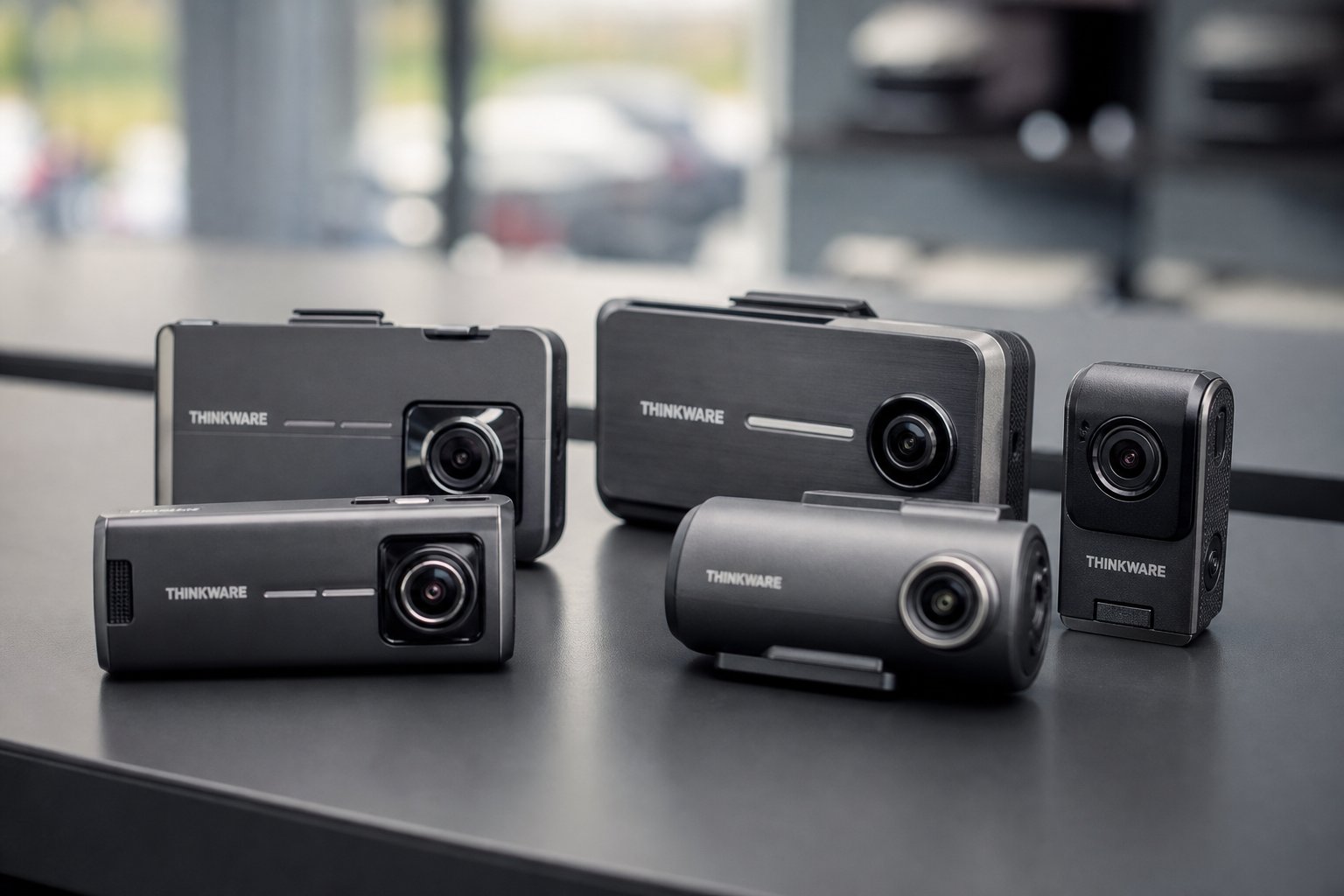
The best Thinkware dash cam for most drivers is the Q200, which offers 2K resolution, reliable parking mode, and Super Night Vision at a fair price.
The U3000 delivers top-tier 4K recording and built-in radar for those wanting premium features.
Budget-conscious buyers will find the F70 PRO provides solid Full HD recording with WiFi and GPS options.
If you want connected features like remote live view and impact alerts, models with THINKWARE CONNECTED support give you smartphone access to your camera.
This guide compares Thinkware’s most popular models to help you choose the right dash cam.
You’ll learn about key features, resolution differences, parking protection options, and which camera fits your specific requirements.
Key Takeaways
- Thinkware offers models from Full HD to 4K resolution with different features for various budgets and needs.
- The Q200 balances performance and value whilst the U3000 provides premium 4K recording with built-in radar detection.n
- Important features to consider include parking surveillance capabilities, night vision quality, connectivity options, and storage capacity
Key Considerations When Choosing a Thinkware Dash Cam
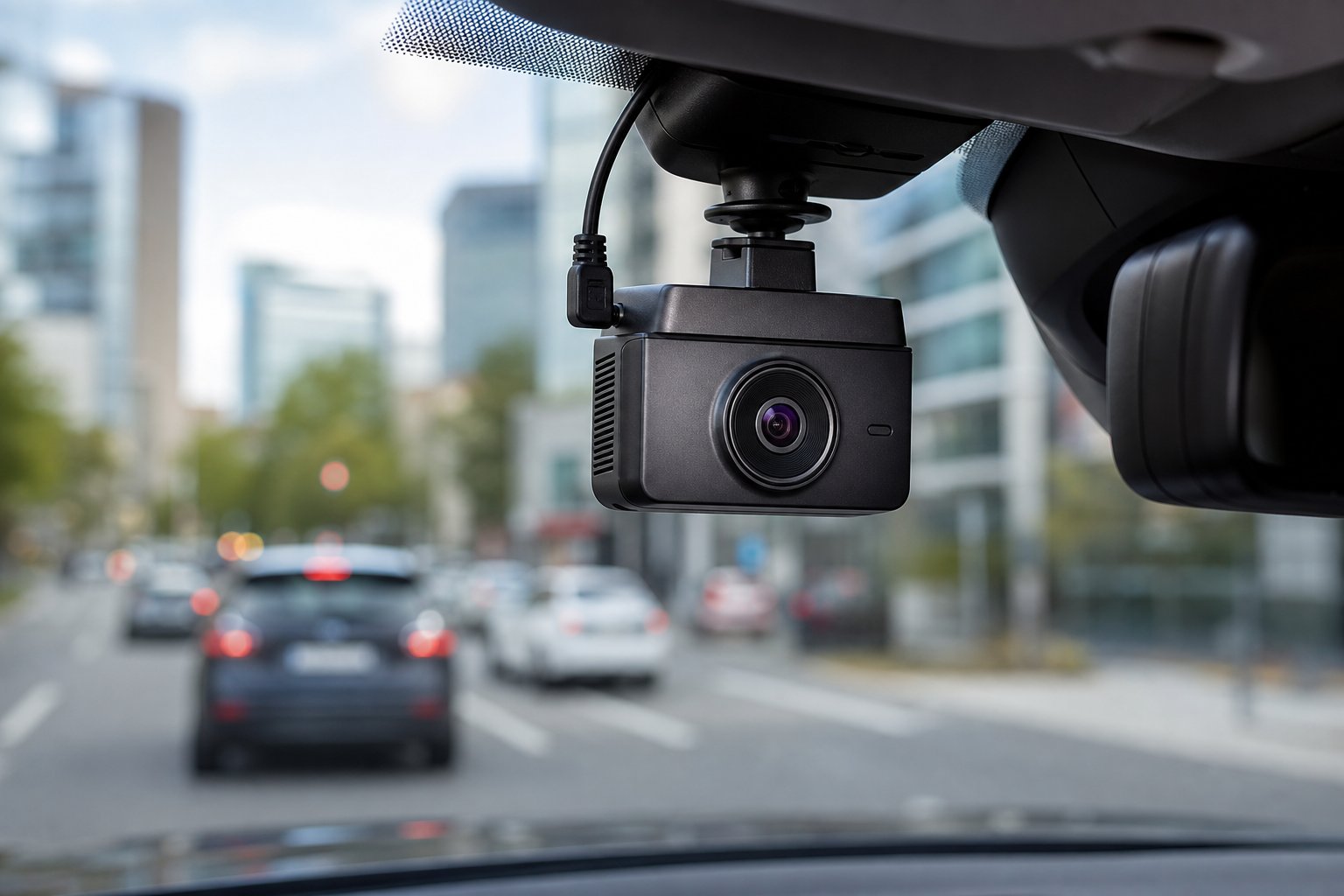
Picking the right Thinkware dash cam depends on how well it records in different light conditions, whether you need rear coverage, and how much footage it can store.
These factors determine if the camera will actually capture useful evidence when you need it.
Video Resolution and Image Quality
The resolution you choose affects how clearly you can read number plates and see road details.
Thinkware offers three main resolution tiers across its range.
4K UHD models like the U3000 and U1000 Plus provide the sharpest footage at 3840 x 2160 pixels.
This 4K resolution captures fine details like street signs and number plates from greater distances.
A 4K dash cam proves most useful in busy urban environments or motorways where you need to identify vehicles several car lengths away.
2K QHD cameras including the Q1000, Q850, ARC, and Q200 record at 2560 x 1440 pixels.
This 2K QHD resolution balances clarity with file size.
You still get clear number plates and road markers without filling your storage as quickly as 4K footage does.
Full HD options like the F200 PRO, F790, and F70 PRO record at 1920 x 1080 pixels.
Full HD remains adequate for most driving situations, though you lose some detail at longer distances compared to higher resolutions.
HDR (High Dynamic Range) helps in mixed lighting situations.
The U1000 Plus includes HDR on both front and rear cameras, whilst the Q1000 features front HDR only.
HDR balances bright and dark areas so you can see details in shadows and bright sunlight simultaneously.
Night Vision Performance
Recording clear footage after dark separates useful dash cams from ones that fail when you need them most.
Thinkware addresses low-light recording through two main technologies.
Super Night Vision appears on most current Thinkware models.
This feature brightens dark scenes and reduces noise in low-light conditions.
The technology works during both night driving and in dim car parks.
Models like the U3000, U1000 Plus, and Q-series all include Super Night Vision as standard.
Sony STARVIS sensors provide superior light sensitivity for night recording.
The STARVIS image sensor captures more light per pixel than standard sensors.
Some newer models use the STARVIS 2 sensor, which offers even better low-light performance than the original Sony STARVIS sensor.
These Sony STARVIS 2 sensors work alongside Super Night Vision to record clearly in near-darkness.
When Super Night Vision activates, HDR typically disables on models that feature both technologies.
You cannot run both simultaneously, so the camera prioritises night vision in dark conditions.
The F70 PRO and some budget models only enable Super Night Vision during Parking Mode, not whilst driving.
Check whether night vision works during active driving if you frequently travel after dark.
Front and Rear Coverage Options
A rear camera protects you from disputes about rear-end collisions and captures vehicles approaching from behind.
Most Thinkware models support dual-channel recording through an optional or included rear view cam.
Resolution differences between front and rear cameras vary by model.
The U3000 pairs a 4K front camera with a 2K QHD rear camera.
The U1000 Plus combines 4K front with Full HD rear.
The ARC and Q1000 offer matching 2K QHD resolution on both channels, providing equal clarity front and back.
Single-channel options exist if you only want front recording.
The F70 PRO comes as a front-only camera without rear view cam support.
Other models sell the rear camera separately as an optional accessory.
Installation considerations matter for rear cameras.
The rear view cam requires running a cable from the front unit to your rear windscreen.
Professional installation ensures the cable routes properly through your vehicle’s interior panels.
Some drivers prefer single-channel setups to avoid this installation complexity.
Storage and Loop Recording
Your microSD card capacity determines how much footage the camera stores before overwriting old files.
Thinkware cameras use loop recording, which automatically deletes the oldest normal driving footage when the card fills up.
Card capacity limits vary by model.
The U1000 Plus supports up to 512GB, whilst the U3000, Q-series, and ARC max out at 256GB.
Older Full HD models like the F200 PRO handle 128GB maximum, and the X700 only supports 64GB.
A 32GB microSD card typically stores 2-3 hours of Full HD footage or roughly 1-1.5 hours of 4K footage before loop recording overwrites it.
A 32GB SD card works for basic needs but limits your recording history.
Higher resolutions and dual-channel recording with a rear camera consume storage faster than single-channel Full HD.
Use a Samsung PRO Endurance or equivalent high-endurance card rated for dash cam use.
Standard SD cards fail quickly from constant recording and temperature extremes.
High-endurance cards last significantly longer in dash cam environments.
Protected files from impacts or manual saves do not get overwritten during loop recording.
The camera preserves these files in a separate folder until you delete them manually or the card fills with protected footage.
Comparing Popular Thinkware Models
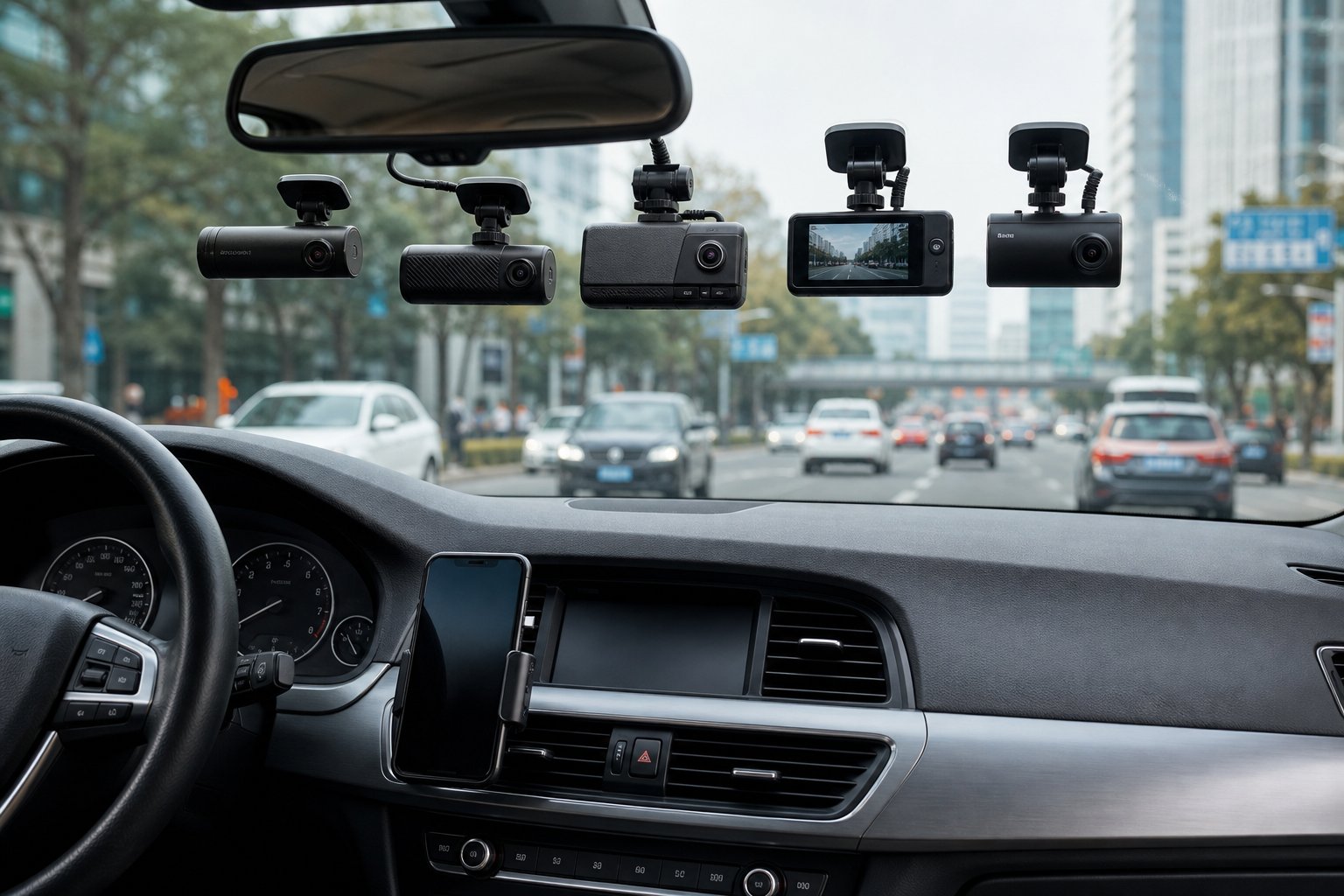
Thinkware’s dash cam lineup spans from budget-friendly Full HD options to premium 4K models with built-in radar and cloud connectivity.
The main differences between models come down to video resolution, parking surveillance capabilities, and advanced features like Super Night Vision versions.
Flagship 4K Options: U3000, U3000 Pro, U1000, ARC 700
The U3000 and U3000 Pro represent Thinkware’s most advanced offerings with 4K UHD front recording and 2K QHD rear cameras.
Both models include built-in radar for enhanced safety camera alerts and come with THINKWARE CONNECTED app integration for remote live view and impact notifications.
The U3000 Pro adds Super Night Vision 4.0 for improved low-light performance.
The U1000 delivers 4K front and Full HD rear recording with Super Night Vision and HDR on both cameras.
It supports up to 512 GB microSD cards, giving you more storage than most competitors.
You’ll find advanced parking surveillance mode and energy-saving features that protect your vehicle battery during extended parking periods.
The ARC 700 takes a different approach with its 2.7″ LCD touch screen and 2K QHD resolution on both front and rear cameras.
This model focuses on ease of use rather than maximum resolution, though it still includes GPS, ADAS, and advanced parking surveillance mode.
Best Value 2K and Full HD Picks: Q200, Q850, ARC, F70 Pro, F200 Pro
The Q200 offers 2K QHD recording front and rear at a lower price point than flagship models.
You’ll get Super Night Vision, advanced parking surveillance, and energy-saving mode.
However, GPS, ADAS, and safety camera alerts require optional accessories.
The Q850 adds THINKWARE CONNECTED app support for remote vehicle monitoring and impact notifications.
This model includes built-in GPS and safety features as standard, making it more complete out of the box than the Q200.
The ARC sits between budget and premium options with its touch screen interface and 2K resolution.
It provides Super Night Vision and HDR on the rear camera, plus built-in GPS and ADAS without requiring extra purchases.
For Full HD options, the F200 Pro and F70 Pro both use supercapacitors for reliable operation in extreme temperatures.
The F200 Pro includes WiFi connectivity and supports up to 128 GB cards, whilst the F70 Pro offers the most affordable entry point into Thinkware’s lineup.
Both models feature advanced parking surveillance and energy-saving modes when hardwired.
Notable Features and Innovations by Model
Super Night Vision technology varies across models—the U3000 Pro features version 4.0 for the best low-light performance.
Mid-range models like the Q200 and F200 Pro include earlier versions that still significantly improve night-time recording clarity.
Impact detection and parking surveillance work across all models but require hardwiring cables for 24/7 monitoring. The U3000, U1000, Q1000, and Q850 support THINKWARE CONNECTED, letting you receive instant alerts when impacts occur and view live footage remotely through your smartphone.
Advanced Driver Assistance System (ADAS) comes standard on 4K and most 2K models, providing lane departure and forward collision warnings. The radar module compatibility on U3000, U1000, and Q1000 models adds even more precise detection for upcoming speed cameras and red lights.
Storage capacity ranges from 64 GB on older models up to 512 GB on the U1000. This affects how much footage you can store before the camera overwrites old files.
Advanced Technology and Safety Features
Thinkware dash cams include driver assistance alerts that warn you about lane drift and close following distances. Parking surveillance systems protect your vehicle when you’re away.
GPS tracking records your exact location and speed. Impact sensors automatically save footage when collisions occur.
ADAS: Lane Departure, Forward Collision, and More
Advanced Driver Assistance Systems (ADAS) provide real-time alerts to help you avoid accidents. The Lane Departure Warning System (LDWS) notifies you when your vehicle drifts out of its lane without signalling, helping you stay centred on the road.
Forward Collision Warning System (FCWS) alerts you when you’re following too closely behind another vehicle. The Front Vehicle Departure Warning (FVDW) signals when the car ahead starts moving whilst you’re stopped at a traffic light.
Some models include Rear Collision Warning (RCW), which notifies you when a vehicle tailgates within 5 to 10 metres for more than 5 seconds. Traffic Signal Alerts (TSA) provide real-time notifications as traffic lights change.
Thinkware dash cams also offer safety camera alerts. You’ll receive warnings for speed camera locations based on your driving direction, preventing unnecessary distractions from cameras on the opposite side of the road.
Red light camera alerts notify you as you approach monitored junctions.
Parking Surveillance Modes
Parking surveillance mode captures footage when your vehicle is parked and unattended. This requires either a hardwiring cable or an OBD II cable for continuous power supply.
Motion and Impact Detection activate recording when the built-in gyro sensors detect movement or a collision. The system captures 10 seconds before and 10 seconds after the incident, storing footage in a dedicated event folder.
Energy Saving Mode reduces power consumption by entering standby and recording only when an impact occurs. This extends parking coverage up to three times longer than standard modes.
Time Lapse mode records at 1 to 2 frames per second, condensing 10 minutes of video into 2 minutes. This allows up to 82 hours of coverage without draining your battery.
Radar Parking Mode uses a built-in radar or radar module accessory to detect motion before impact occurs. When motion is detected, the dash cam powers up and prepares to record.
If an impact follows, it saves a 20-second clip with minimal power use.
Smart Parking Mode protects your battery by automatically switching to low-power mode when interior temperatures rise too high or battery voltage drops.
Impact Detection and Notifications
The built-in 3-axis G-sensor automatically detects impacts and saves a 20-second video clip—10 seconds before and 10 seconds after the incident. This footage is stored in a separate folder on your memory card for easy retrieval.
Dual Save Technology simultaneously stores impact footage on both the microSD card and the dash cam’s internal NAND flash memory (512 MB). If your memory card is damaged or removed during a collision, the dash cam still retains 6 seconds of critical footage (4 seconds before impact, 2 seconds after).
The built-in voltmeter continuously monitors your car’s battery voltage. The off-voltage feature automatically powers down the dash cam if battery voltage drops below a set threshold, preventing battery drain.
The off-timer shuts down the dash cam after a preset duration in parking mode.
Built-In GPS and Location Services
GPS tracking embeds speed, time, and location data directly into your dash cam footage. This allows you to track your vehicle’s exact location, routes, and driving speed.
The GPS data provides detailed insights into accident conditions, including your speed at the time of impact, collision direction, and impact severity. This information proves essential for insurance claims and accident investigations.
Built-in or external GPS antennas work with speed camera alerts to recognise your driving direction. The system automatically turns off warnings for speed cameras in the opposite direction, reducing distractions while maintaining relevant alerts.
Connectivity and Remote Access
Thinkware dash cams offer different levels of connectivity depending on the model you choose. Higher-end models include the Thinkware Connected app for remote monitoring.
All WiFi-enabled models work with the Dash Cam Link app for local wireless control.
Thinkware Connected App and Remote Live View
The Thinkware Connected app works with premium models like the U3000, U1000 Plus, Q1000, and Q850. This app gives you remote access to your dash cam through your smartphone’s internet connection or a mobile hotspot device.
You can view your vehicle’s location and watch remote live view footage when you’re away from your car. The app sends impact notifications if someone hits your parked vehicle and automatically uploads strong impact videos to your phone.
You also get access to your vehicle’s status and driving history. Additional features include captured images from your most recent parking session and geofencing alerts (set up through the browser only).
The app includes a Send Emergency Message function for urgent situations. Remote live view during parking mode won’t work if you enable Energy Saving Mode 2.0.
Your carrier may charge data fees for these features.
Dash Cam Link App Integration
The Dash Cam Link app connects to your dash cam through WiFi for local control. Models with WiFi include the U3000, U1000 Plus, ARC, Q1000, Q850, Q200, F200 PRO, F790, and F70 PRO.
You can view, download, delete, and share footage directly from your smartphone. The app lets you adjust camera settings and monitor live footage whilst you’re near your vehicle.
This local connection doesn’t require mobile data or carrier charges. The Dash Cam Link app works with both Android and iOS devices.
You need to stay within WiFi range of your dash cam to use the app’s features.
Cloud and LTE Features
Thinkware dash cams don’t include built-in LTE connectivity. You need to pair a mobile hotspot device or use your smartphone’s internet connection with the Thinkware Connected app to access remote features.
The strong impact video upload feature sends footage to your phone through your internet connection. This isn’t true cloud storage, but rather a notification system with video transfer capabilities.
You’ll need a separate microSD card in your dash cam to store all recordings locally. Professional installation with a hardwiring cable or OBD II power cable is recommended for parking mode features that work with remote access.
Installation and Expandability
Thinkware dash cams support both simple plug-in setups and advanced hardwired installations with multi-channel expansion. Your choice between professional fitting and DIY depends on which features you need and how comfortable you are working with vehicle wiring.
Professional vs DIY Installation
Basic installation requires only a power cable plugged into your cigarette lighter socket. You can complete this yourself in minutes by mounting the camera behind your rear-view mirror and routing the cable along your windscreen edge.
Professional installation becomes necessary when you want parking mode features. A trained technician can hardwire the camera to your vehicle’s fuse box and hide all cables behind trim panels for a factory-fitted appearance.
This process typically takes 1-2 hours and ensures your camera stays powered when the engine is off. The Q200 works well for DIY installation since it doesn’t require hardwiring for basic features.
Models like the U3000 and Q1000 need professional fitting to access their full parking surveillance capabilities.
Hardwiring, OBD-II Cables, and Power Options
Hardwiring cables connect directly to your vehicle’s fuse box and provide constant power for parking mode. These cables include low-voltage protection to prevent battery drain.
Professional installation is recommended for hardwiring. OBD-II power cables plug into your vehicle’s diagnostic port under the dashboard.
This option is easier than hardwiring but may not work if you need the port for other devices. The choice between these options affects which features you can use:
- Cigarette lighter adapter: Basic driving mode only
- Hardwiring cable: Full parking surveillance, energy saving mode
- OBD-II cable: Parking mode with easier installation
All Thinkware models require hardwiring or OBD-II cables to enable Advanced Parking Surveillance Mode and Energy Saving Mode features.
Multiplexer and Multi-Channel Setups
A multiplexer box lets you connect multiple cameras to create a complete view around your vehicle. This system works with compatible models including the F200 PRO, F790, and X700.
The multiplexer handles up to four camera feeds simultaneously. You can add side cameras or additional rear cameras to eliminate blind spots.
Installation requires professional fitting because the box needs proper mounting and cable management throughout your vehicle. Most newer Thinkware models use direct rear camera connections instead of multiplexer systems.
Check multiplexer compatibility before purchasing additional cameras for older models.
Choosing the Right Thinkware Dash Cam for You
Your budget and intended use determine which Thinkware model delivers the best value. The brand offers cameras from £80 to £600, with clear differences in resolution, parking protection, and storage capacity that match specific driving needs.
Budget and Value Considerations
Entry-level models like the F70 PRO start around £90 and provide Full HD recording with basic parking mode.
These cameras typically support up to a 128GB SD card and work well for drivers who need simple accident documentation.
Mid-range options like the Q200 and ARC sit between £250 and £420.
You get 2K QHD resolution, dual-channel recording capabilities, and improved night vision.
The ARC includes a 2.7″ touchscreen, whilst the Q200 offers GPS and ADAS as optional add-ons.
Premium models command £550 and above.
The U3000 delivers 4K UHD front recording with 2K rear coverage, built-in radar, and THINKWARECONNECTED app features.
It supports up to 256GB storage and includes supercapacitor technology for extreme temperatures.
Top Recommendations by Use Case
City driving and parking protection: Choose the Q1000 or U3000.
Both offer advanced parking surveillance mode with impact notifications and remote live view through the CONNECTED app.
Daily commuting: The F200 PRO or Q200 provide reliable Full HD or 2K recording.
You’ll capture number plates and road details without excessive storage demands.
A 32GB SD card works for basic use, though 64-128GB suits most drivers better.
Professional drivers and rideshare: Select the U3000 or ARC.
The touchscreen on the ARC simplifies footage review between passengers.
Both models include GPS tracking and maintain detailed driving history.
Budget-conscious buyers: The F70 PRO delivers adequate Full HD quality with parking mode.
GPS and ADAS require separate purchases but keep initial costs low.
Future-Proofing and Upgrade Options
Thinkware’s higher-end models support optional accessories that extend functionality.
The Q1000 accepts radar modules for enhanced safety alerts.
Several cameras work with OBD II power cables for cleaner installation.
Storage capacity matters for long-term use.
Models supporting 256GB or 512GB cards reduce how often you overwrite footage.
The U1000 Plus accepts up to 512GB—the largest capacity in Thinkware’s range.
Dual-channel recording (front and rear cameras) adds £100-£150 to most setups.
This investment proves worthwhile if you frequently reverse park or worry about rear-end collisions.
Cloud connectivity through THINKWARE CONNECTED requires compatible models (Q850, Q1000, U1000 Plus, U3000).
This feature uses your phone’s data connection and may incur carrier charges, but provides real-time vehicle monitoring and emergency alerts that traditional car cameras cannot match.
Frequently Asked Questions
The Q200 provides the strongest value for most drivers, whilst the U3000 leads in video quality and parking features.
Most models support dual-channel recording with varying rear camera resolutions, and proper installation with hardwiring prevents battery drain concerns.
Which Thinkware model offers the best balance of price, features and reliability for everyday driving?
The Q200 stands out as the most balanced option for everyday use.
You get 2K QHD front and Full HD rear recording, Super Night Vision, and Advanced Parking Surveillance Mode at approximately £170.
This model includes all the core features you need without expensive extras.
The supercapacitor design handles temperature extremes better than battery-powered units.
You can add GPS and ADAS as optional accessories if you want those features later.
The Q200 holds up to a 256 GB microSD card for extended storage.
Its parking mode protects your vehicle when you’re away, and the WiFi connection with the Dash Cam Link App makes footage review simple.
Which Thinkware dash cams support front and rear recording, and what is the difference between the available rear camera options?
All Thinkware models except the F70 PRO support front and rear recording with optional or included rear cameras.
The main difference lies in the rear camera resolution and whether it’s included or sold separately.
The U3000 offers 4K UHD front with 2K QHD rear recording.
The U1000 Plus pairs 4K UHD front with Full HD rear.
The Q1000 and ARC both provide 2K QHD for both front and rear cameras, giving you matching quality on both channels.
The Q850 and Q200 use 2K QHD front cameras with Full HD rear units.
Models like F200 PRO, F790, and X700 record Full HD on both channels.
Some models include the rear camera in the package, whilst others require you to purchase it as an optional accessory.
How does the Thinkware Q200 compare with the U3000 in video quality, night performance and parking mode features?
The U3000 delivers superior 4K UHD front recording compared to the Q200’s 2K QHD resolution.
This means the U3000 captures finer details like number plates and road signs at greater distances.
Both models feature Super Night Vision technology for low-light recording.
The U3000 includes a built-in radar module for more advanced parking detection, whilst the Q200 relies on motion and impact sensors.
The U3000’s rear camera records in 2K QHD, which outperforms the Q200’s Full HD rear recording.
The U3000 supports THINKWARE CONNECTED features including remote live view, impact notifications, and emergency messaging.
The Q200 lacks these connected features but still provides reliable Advanced Parking Surveillance Mode.
The U3000 costs approximately £580 compared to the Q200’s £170 price point.
Is HDR or WDR better for a dash cam, and which Thinkware models use each approach?
HDR (High Dynamic Range) produces better balanced images in mixed lighting conditions by combining multiple exposures.
WDR (Wide Dynamic Range) processes a single frame to balance bright and dark areas, which works faster but with less dynamic range.
The U1000 Plus features HDR on both front and rear cameras.
The Q1000 includes front HDR, whilst the ARC and Q850 have rear HDR only.
The F790 is the only Full HD model with HDR capability.
HDR cannot work simultaneously with Super Night Vision on most models.
You’ll need to choose between these features based on your driving conditions.
HDR works best for daytime driving with bright sunlight and shadows, whilst Super Night Vision excels in consistently dark environments.
Does a Thinkware dash cam drain the car battery in parking mode, and what settings or accessories can prevent this?
Parking mode will drain your battery if you don’t use proper installation methods.
A hardwiring cable or OBD II power cable with built-in voltage protection prevents complete battery drain.
These cables monitor your battery voltage and shut off power to the dash cam when it drops to a preset level.
Most hardwiring kits let you set cutoff voltages between 11.6V and 12.4V.
Professional installation ensures the cables connect to the correct circuits.
Energy Saving Mode reduces power consumption during parking surveillance.
This feature records using time-lapse or motion detection rather than continuous recording.
Some models like the U3000 and Q series support this battery-saving option when properly hardwired.
What are the most common mistakes to avoid when installing and using a Thinkware dash cam?
Connecting your dash cam to the cigarette lighter for parking mode ranks as the most common error. This method won’t provide power when your ignition is off.
Using an undersized microSD card or a card not rated for continuous recording causes file corruption and missed footage. You need a high-endurance card that matches your model’s maximum capacity.
The U1000 Plus supports up to 512 GB. Most other models work with 256 GB cards.
Placing the camera too low on the windscreen or behind tinted areas reduces video quality. Mount it behind your rear-view mirror in the centre of the windscreen for optimal coverage.
Clean the lens regularly. Dirt and smudges significantly impact recording clarity, especially at night.
Failing to format your memory card monthly leads to file errors and recording failures. The Dash Cam Link App makes formatting simple through your smartphone.
Never remove the memory card whilst the camera is powered on, as this can corrupt your files.
Related Posts


About author
Related posts

The tracker with the most features isn’t automatically the right choice for your fleet. For fleet tracker installation in the UK, the best fit... Continue reading

Safe & Sound — Professional Vehicle Enhancers For example, the ability to monitor your vehicle’s movements can drastically enhance safety. Essential Tracker Features A reliable... Continue reading

The most capable security GPS tracker isn’t automatically the right choice for every car. Choose one based on the protection you need, its features... Continue reading

The best car tracker GPS isn’t simply the one with the most alerts. It’s the system that suits your vehicle, installation needs, tracking... Continue reading

Scorpion tracking combines vehicle location technology with professional theft monitoring, giving owners more than a dot on a map. The Scorpion Automotive range includes S7... Continue reading