
No products in the cart.

Dash Cam with Wi-Fi App Control: Essential UK Guide
A dash cam with Wi-Fi app control lets you access recorded footage directly on your smartphone without removing the memory card. The camera creates a local wireless connection, allowing you to review and download files while parked nearby.
This guide explains how wireless connections operate, where cloud features differ, and how to maintain your setup. Only operate mobile apps when safely parked, and always preserve original video files according to official submission requirements.
Accessing Video Evidence via Smartphone
Reviewing dash cam footage historically required removing the memory card and loading it onto a computer. Built-in Wi-Fi simplifies this by letting you connect your phone directly to the camera.
This local connection allows you to review recordings from the driver’s seat. It also minimises physical handling of delicate memory cards.
How Local Wi-Fi Works
A dash cam’s Wi-Fi network operates locally, similar to an offline hotspot, and does not require mobile data to link devices. However, companion mobile apps may use internet data for cloud services, account management, or firmware delivery.
Because features depend on hardware and operating system compatibility, Wi-Fi alone does not guarantee all app tools will work on every phone. For more details on transferring clips, see the guide to downloading footage from a dash cam.
Sharing Footage With Police
If an incident occurs, you can review relevant recordings directly on your smartphone once parked safely. Always preserve original, unedited clips on the memory card in case law enforcement requests them in their native format.
Follow specific police submission instructions rather than assuming roadside playback replaces formal evidence delivery.
Submitting Video for Insurance Claims
Insurers often accept dash cam footage to support claims investigations, though requirements vary across providers. Review your insurer’s specific guidelines to ensure files are submitted in the preferred format and resolution.
To learn more about claim procedures, read about using dash cam footage for an insurance claim. Always retain backup copies of submitted media.
Setting Up a Dash Cam with Wi-Fi App Control
Companion apps replace small on-camera buttons with clear smartphone menus. When paired, you can configure resolutions, audio settings, and sensor sensitivity from inside the car.
Typical app settings include:
- Video resolution and frame rates
- Microphone and audio toggles
- G-sensor impact sensitivity
- Parking surveillance parameters
Before relying on parked surveillance, review what parking mode on a dash cam captures and how it handles power consumption.
Live View for Proper Alignment
Many app-controlled dash cams offer a live video preview. This feature helps you position the lens accurately on the windscreen during initial installation.
A live preview helps eliminate unwanted bonnet reflection and excessive sky exposure. Note that live streaming over Wi-Fi depends on model and app support.
Maintenance and Power Considerations
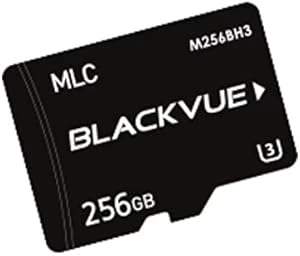
Dash cams rely on loop recording, which steadily rewrites storage. Using a compatible, high-endurance microSD card within the manufacturer’s specified capacity is essential for steady recording.
Consult your user manual for recommended formatting intervals rather than assuming a rigid schedule. For instance, see BlackVue maintenance guidance as a model-specific example of manufacturer recommendations.
Always back up important recordings before reformatting cards or applying over-the-air firmware updates.
Power Supplies and Parking Modes

Dash cams are not completely cordless devices. Many dash cams use a small internal battery or supercapacitor to finish saving files when external power stops. Do not assume this provides extended recording; check the camera specification.
Continuous recording and parking modes demand a compatible, continuous external power source, such as a dedicated hardwire kit. As explained in the Thinkware power guidance, specific wiring kits provide low-voltage protection.
Low-voltage cutoffs reduce vehicle battery drain risk, though they cannot universally guarantee a vehicle will start under all conditions.
Wi-Fi vs. Bluetooth and Cloud Connectivity
Wireless features vary significantly depending on hardware configurations. Understanding how each connection functions helps ensure you choose the right hardware.
Wi-Fi provides high-speed local data transfer within a short range around the car. Compatible 5 GHz models can offer faster transfers than 2.4 GHz connections, depending on the camera, phone and signal conditions.
Bluetooth functions on select models for initial device pairing, wireless accessories, or basic command handshakes, depending on manufacturer design.
Cloud connectivity enables remote alerts and remote viewing when away from the vehicle. This setup requires an internet connection via an external mobile hotspot or mobile modem, constant power, and often a paid subscription.
Feature | Local Wi-Fi | Bluetooth | Cloud Connectivity |
|---|---|---|---|
Range | Short range around vehicle | Short range around vehicle | Remote (requires internet) |
Internet Needed | No (local link) | No | Yes |
Remote Access | No | No | Yes (with subscription/data) |
Primary Use | File transfer and settings | Pairing and quick controls | Remote monitoring and notifications |
For more details on power and cabling setups, consult the wired vs wireless dash cam guide.
Choosing the Right Camera Setup
Selecting the right hardware depends on your vehicle type, driving habits, and power requirements. Consider dual-channel systems to monitor both the road ahead and rear traffic.
A multi-channel dash cam for car installation gives broader coverage during road journeys. For commercial users, a suitable van dash cam setup should match the vehicle and its working conditions.
Understanding internal power limits is crucial, so review the article on battery-powered dash cameras before making a decision.
Safe and Sound Mobile Services
Safe & Sound Mobile supplies dash cams with nationwide mobile installation, subject to vehicle compatibility and appointment availability. Technicians assist with camera mounting, cable routing, and configuring companion mobile apps.
Professional installation ensures clean cable integration alongside existing vehicle electronics. For additional options, explore the dash cam in car guide and car security in Essex solutions.
Conclusion
Wi-Fi-enabled dash cams make file viewing and setting management straightforward from your smartphone. Local wireless links handle file downloads directly, while remote monitoring requires dedicated cloud hardware and power.
Always maintain your high-endurance memory card according to manufacturer schedules, back up vital files, and follow insurer and police evidence submission guidelines.
Frequently Asked Questions
How do I choose a dash cam with Wi-Fi app control?
Select a camera based on video resolution, front and rear coverage, power requirements, and app compatibility with your phone’s operating system.
Can I view and download dash cam footage on my phone?
Yes. By connecting your smartphone to the dash cam’s local Wi-Fi network, you can stream clips and save files without removing the memory card.
Do Wi-Fi dash cams work when I am away from my car?
Standard Wi-Fi connections only operate locally near the vehicle. Remote access requires dedicated cloud connectivity, continuous power, and an active internet connection.
Are front and rear dash cams available with Wi-Fi?
Yes. Dual-channel dash cam systems commonly include Wi-Fi, allowing you to manage front and rear recordings through a single smartphone application.
Why does my memory card require regular formatting?
Loop recording continuously writes new files over old footage. Formatting according to manufacturer guidelines clears fragmented data and ensures smooth operation.
Does a dash cam with Wi-Fi app control need a subscription?
Local Wi-Fi access usually works without a cloud subscription. Remote services and mobile data may have separate charges. Check the exact camera and app terms before buying, especially if you want alerts when you are away from the vehicle.

About author
Related posts

A tracker can help locate a vehicle after it’s stolen, but it won’t prevent the theft itself. To choose between auto security systems, understand... Continue reading

A dash camera may record when the car is off if it has parking mode and a suitable power supply. Whether dash cameras record when... Continue reading

Professional car dash camera fitting gives you a securely mounted camera, concealed wiring and a tested power connection. With mobile fitting, the... Continue reading

Does a gps tracking dash cam let you find your car if it’s stolen? Not by itself. GPS can add location and journey context to... Continue reading
A dash camera can capture a collision clearly and still not tell the whole story. Understanding car dash camera causes of road traffic accidents... Continue reading