
No products in the cart.
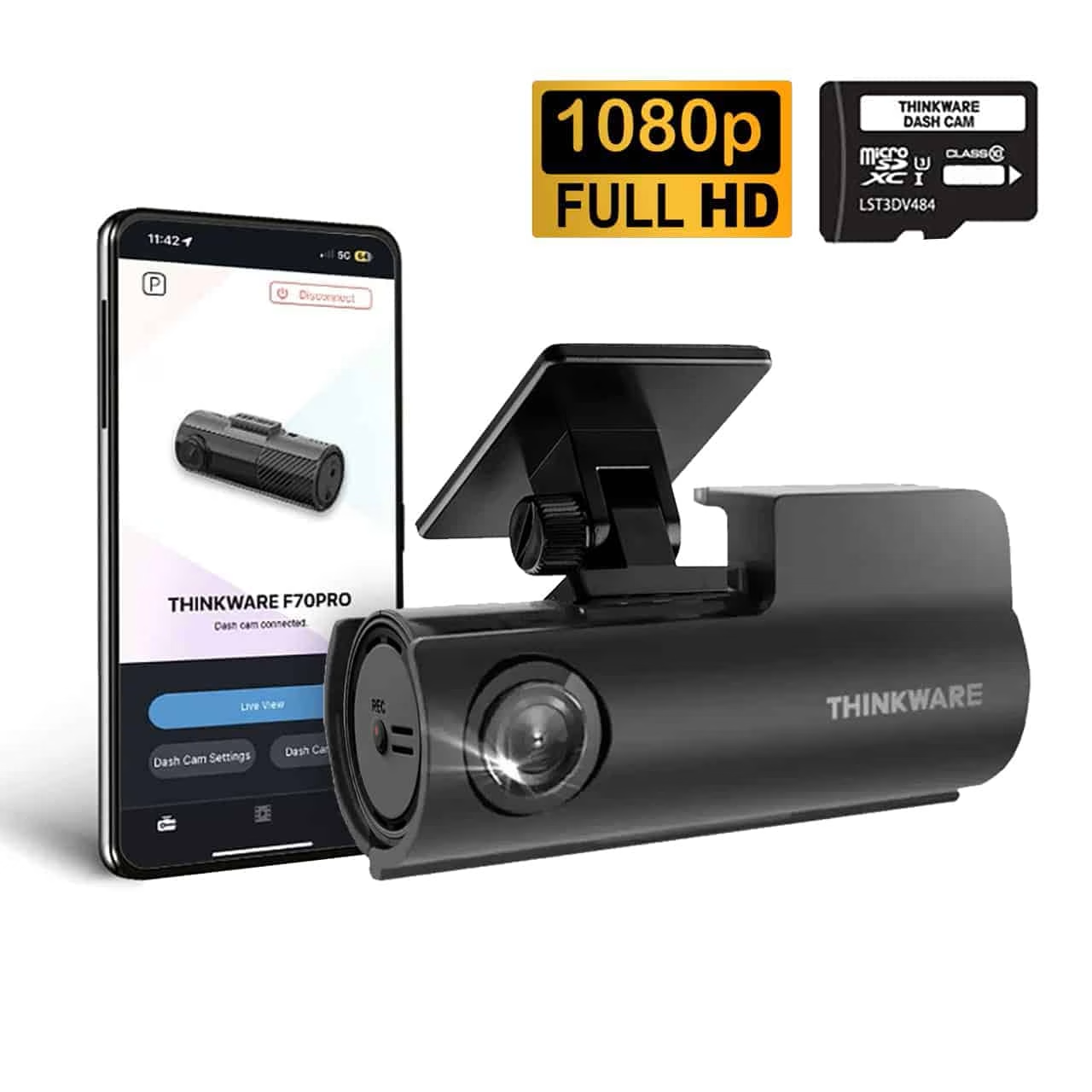
Dash Cam for Car
Choosing the Best Dash Cam for Cars
Video quality, storage capacity, and additional features like rear cameras determine which dash cam will work best for your needs. The right memory card size ensures you won’t run out of recording space during essential moments with your dash cam.
When choosing a Dash Cam for your car, consider the features that suit your driving habits. A high-quality Dash Cam for cars enhances safety and provides crucial evidence in the event of an accident.
Key Features to Consider
For every driver, a Dash Cam for Car should be considered an essential tool. It not only records your journeys but also acts as a witness in case of disputes.
Video resolution stands as the most critical feature when selecting a dash cam. Look for models that record in at least 1080p Full HD, though 4K options provide sharper detail for reading number plates and road signs.
Night vision capabilities matter significantly since many incidents occur in low-light conditions. Dash cams with HDR (High Dynamic Range) or WDR (Wide Dynamic Range) technology balance exposure between bright and dark areas.
Essential features include:
- Loop recording – automatically overwrites old footage when storage fills up
- G-sensor – detects impacts and saves footage before it gets deleted
- GPS tracking – records your location and speed
- Parking mode – continues monitoring when your vehicle is parked
- Wide-angle lens – captures more of the road (typically 140-170 degrees)
A rear camera adds valuable protection by recording what happens behind your vehicle. Dual-camera systems cost more but provide complete coverage during reversing incidents or rear-end collisions.
Recommended Models and Brands
Utilising a Dash Cam for your car can also lower your insurance premiums, as many companies offer discounts for having one installed.
The Nextbase IQ leads the premium category with advanced AI features and 4G connectivity. For mid-range options, the Nextbase Piqo offers excellent value with a compact design and reliable performance.
The Redtiger F7NP offers strong specifications at a competitive price. Kenwood DRV models deliver professional-grade quality with superior build materials.
Investing in a quality Dash Cam for your car can save you money in the long run by providing proof during insurance claims.
Budget-conscious drivers should consider the MiOFive S1, which captures clear footage without expensive extras. The Ring RSDC3000 suits those wanting simple, straightforward operation.
Choosing the right Dash Cam for your car can significantly improve your driving experience and provide peace of mind on the road.
Each model of Dash Cam for Car has unique features, so it’s best to research which one fits your needs before making a decision.
Remember that a reliable Dash Cam for Car is an investment in your safety and can provide crucial evidence in emergencies.
Road Angel Halo Pro combines dash cam functionality with speed camera alerts. Premium models from Garmin and 70mai include innovative features like voice control and cloud storage.
Choose brands that offer good warranty coverage and responsive customer support. Read reviews from independent testing organisations before making your final decision.
To make the most of your Dash Cam for Car, ensure that it has features like GPS tracking and a wide-angle lens for optimal coverage.
Utilising a Dash Cam for Car can facilitate better driving habits, as you are more aware of your surroundings and potential risks.
Investing in a dash cam for your car enhances your driving safety and provides peace of mind.
New drivers, especially, benefit from a Dash Cam for Cars, as it provides an extra layer of security and accountability.
When selecting a Dash Cam for your car, always review customer feedback to ensure it meets your expectations and requirements.
To enhance your Dash Cam for Cars’ functionality, consider additional accessories such as hardwire kits or GPS modules.
Selecting the Right Memory Card
The right Dash Cam for the Car can provide peace of mind while driving.
For optimal performance, remember to regularly update your Dash Cam’s firmware, as manufacturers often release improvements.
Your dash cam needs a reliable micro SD card designed for continuous recording. Standard memory cards fail quickly under the constant write cycles that dash cams require.
A 64GB SD card provides approximately 6-8 hours of Full HD footage, which is sufficient for most daily commutes. If you drive extensively or record in 4K, a 128GB card offers more breathing room.
Card specifications matter:
- Choose cards rated Class 10 or higher
- Look for U3 or V30 speed ratings
- Select cards labelled “High Endurance” or “Dash Cam Ready”
- Avoid cheap, generic brands that fail without warning
A 32GB SD card works for basic needs but fills quickly if your dash cam records at high resolution. Many newer models require a minimum 64GB capacity.
Format your memory card monthly through your dash cam’s menu to maintain reliability. Replace cards every 12-18 months since they wear out from constant use.
Dash Cam Functions and Advanced Features
Modern dash cams offer capabilities beyond basic recording, with features like 4K video quality, night vision, parking protection, and voice control that enhance safety and convenience while driving.
Video Quality and Wide Angle Capture
Video quality determines how clearly your dash cam captures essential details like number plates and road signs. Most current models record in 1080p Full HD, but 4K dash cams are becoming more common in 2025 and provide sharper footage.
Higher resolution matters when you need to read small text or identify vehicles from a distance. A 4K camera captures roughly four times more detail than n 108 camera.
Wide-angle lenses are equally crucial for coverage. Most dash cams feature lenses with a field of view between 120 and 170 degrees. A wider field of view captures more of the road and adjacent lanes, which helps document incidents involving vehicles beside you.
Key video specifications to consider:
- Resolution: 1080p minimum, 4K preferred
- Frame rate: 30fps standard, 60fps for smoother playback
- Field of view: 140-170 degrees for optimal coverage
Some models include a polarising filter to reduce windscreen glare and reflections, improving image clarity during daytime driving.
Night Vision and Low Light Performance
Night vision technology enables your dash cam to record clear footage after dark or in low-light conditions. This feature uses larger image sensors and wider apertures to capture more light.
Many cameras enhance night recording through infrared sensors or advanced image processing. The quality of night vision varies significantly between models, so checking test footage before purchasing helps ensure adequate performance.
Low light performance depends on several factors. The camera’s aperture (measured as f-numbers like f/1.8 or f/2.0) determines how much light reaches the sensor. Lower f-numbers mean better night recording.
Advanced night-vision capabilities help capture essential details, such as a number plate, even in darkness. Some premium models adjust exposure automatically when moving between bright and dark areas, preventing washed-out or overly dark footage.
Parking Mode and Parking Protection
Parking mode monitors your vehicle when it’s parked, and the engine is off. This 24/7 parking protection activates recording if something happens near your car.
Most parking modes use a motion sensor or an RGB sensor to trigger recording. Motion detection starts filming when movement appears in front of the camera. A g-sensor detects impacts or bumps and automatically saves footage of potential hardware issues or vandalism.
Parking mode typically requires:
- Hardwired installation to your car’s battery
- Low-voltage cutoff protection: Hardwiring to prevent battery drain
- Adequate memory card storage
Hardwiring our dash cam enables parking mode features whilst keeping your 12-volt outlet free. Some models include this hardware, whilst others require separate accessories.
Time-lapse recording is another parking mode option. The camera records at lower frame rates (like 1-2fps) to conserve storage space whilst still capturing events around your parked vehicle.
Voice Activation and Voice Control
Voice control lets you operate your dash cam without taking your hands off the steering wheel. You can start recording, take photos, or save protected footage using simple voice commands.
This hands-free operation improves safety by keeping your attention on the road. If an incident occurs, saying “save video” or a similar command immediately protects that footage from being overwritten.
CoStandardoice commands include:
- Starting and stopping recording
- Capturing still photos
- Saving current footage
- Turning audio recording on or off
Some dash cams also offer voice activation to access GPS features or toggle settings. Advanced models from manufacturers like Nextbase and Garmin offer comprehensive voice control systems.
Additional features often paired with voice control include speed camera warnings that alert you to approaching cameras, and automatic logging of speed and location data through built-in GPS. These features work together to create a comprehensive recording system that documents your journeys with minimal driver interaction.
Installation, Usage, and Maintenance
Getting your dash cam properly fitted and powered ensures reliable recording, while understanding footage management and what happens when you sell your vehicle helps you make the most of your investment.
Fitting and Powering Your Dash Cam
Installing a dash cam requires a few basic steps. Mount the camera behind your rearview mirror at the top centre of your windscreen using the adhesive pad or suction mount provided. This position captures the widest view without blocking your vision.
Route the power cable along your headliner and down the A-pillar, tucking it into the trim gaps. Avoid areas near airbags. Continue the cable under your dashboard to reach the 12V socket.
The simplest power option plugs directly into your cigarette lighter socket. This plug-and-play method works immediately but leaves a visible cable and only powers your camera while the engine runs.
For rear camera installation, run the cable along your roof lining from front to back. Mount the rear camera at the top centre of your back windshield. Hardwire slightly downwind to capture following traffic.
HaHardwireit Options
A hardwire kit connects your dash cam directly to your vehicle’s fuse box, eliminating the need for a 12V socket. This method provides constant power for parking mode features and creates a hardwired installation with no visible cables in your cabin.
Hardwiring locks features like motion detection and impact alerts whilst your car sits parked. The kit includes a fuse tap that connects to your ACC (accessory) and constant power circuits, plus a ground wire that attaches to your chassis.
Ensure that your Dash Cam for Car is discreetly mounted to avoid obstructing your view while driving.
Be aware that your Dash Cam for Car must comply with legal requirements regarding its placement on your windscreen.
To maintain your Dash Cam for Car in excellent condition, periodically check the lens for dirt or obstructions.
You’ll need to identify the correct fuses in the hardware—check your owner’s manual for guidance. Most hardwired systems include built-in voltage protection that cuts power if your battery drops below a safe threshold, preventing drainage issues.
Professional installation typically costs £50-£100 if you prefer not to tackle the wiring yourself.
Transferring and Managing Footage
Consider a Dash Cam for Car with cloud storage options for easy access to your recorded footage from anywhere.
Having a Dash Cam for your car can help you remain calm during stressful situations, knowing you have a reliable witness.
Your dash cam records to a microSD card in loops, overwriting the oldest files when storage fills up. High-endurance cards rated for continuous recording work best and typically last 1-2 years before needing replacement.
Investing in a high-quality Dash Cam for the Car can prevent headaches and disputes following an accident.
Most cameras automatically lock important footage when detecting an impact, preventing overwriting. You can also manually save clips using a button on the device.
To transfer footage, remove the SD card and insert it into your computer using a card reader. Alternatively, some models offer Wi-Fi connectivity that lets you view and download clips directly to your smartphone through a dedicated app.
Format your SD card monthly through the camera’s menu to prevent file corruption. Regular formatting maintains optimal performance and prevents recording errors.
Selling Your Car With a Dash Cam
When you sell your car, you have several options for your dash cam. Most sellers remove the camera to use in their next vehicle. The device isn’t specific to one car.
If you’ve hardwired the installation, carefully disconnect the fuse tap and ground wire, then restore the original fuses. For adhesive mounts, use a hairdryer to gently warm the pad before peeling it away. Clean any residue with rubbing alcohol.
You might choose to leave the camera installed as a hardwired, particularly if you’ve invested in professional hardwiring. Include the original packaging, manual, and SD card if passing it along to the new owner.
Before removing your camera, delete all footage from the SD card to protect your privacy. Format the card completely, not just delete individual files.
Don’t overlook the importance of having a reliable Dash Cam for Car installed in your vehicle for added safety.
Frequently Asked Questions
Modern dash cams offer features like 4K-resolution recording, parking-mode surveillance, and GPS tracking. Legal requirements vary by country, with UK law mandating specific windscreen placement rules while other jurisdictions have different privacy regulations.
What features should I look for when purchasing a vehicle dashboard camera?
Resolution quality stands as the most critical feature to consider. You should aim for at least 1080p Full HD recording, though 4K resolution at 60 FPS provides the clearest footage for reading number plates and capturing details.
Look for cameras with wide-angle lenses between 120 and 170 degrees. This field of view ensures you capture multiple lanes of traffic and roadside details.
Storage capacity matters significantly for your dash cam’s usefulness. Most models use microSD cards that you can remove to view footage on your computer. Choose a camera that supports at least 64GB cards for several hours of recording time.
GPS integration allows your camera to record speed and location data alongside video footage. This feature proves valuable when reconstructing accident sequences or proving your whereabouts.
G-force sensors detect sudden impacts and automatically lock that footage to prevent it from being overwritten. Wi-Fi 6 connectivity enables faster video transfers to your smartphone without removing the storage card.
How do dash cams contribute to driving safety and insurance claims?
Dash cams act as unbiased witnesses when accidents or road disputes occur. Your footage provides clear evidence of what happened, protecting you from false claims and crash-for-cash scams.
Researching the best Dash Cam for Car options is essential to ensure you get the features you need for your driving style.
Insurance companies increasingly accept dash cam footage as evidence during claims processing. This documentation can speed up your claim and help prove you weren’t at fault, potentially protecting your no-claims bonus.
Installing a Dash Cam for a Car may seem intimidating, but many resources are available to guide you through the process.
Finally, make sure your Dash Cam for Car is always up to date to ensure you have the latest features and improvements.
Some newer models include ADAS (Advanced Driver-Assistance Systems) that alert you to lane departures and potential collisions. These warnings help prevent accidents before they happen.
Your recorded footage can also help police investigations. Clear video evidence of dangerous driving, road rage incidents, or traffic violations supports prosecutions and improves road safety for everyone.
Can dash cameras record inside the vehicle as well as the road ahead?
Many modern dash cams include cabin-facing cameras alongside front and rear recording capabilities. These internal cameras capture what happens inside your vehicle during incidents.
Some dash cams also record sound and video from the car cabin. This is particularly useful for taxi and delivery drivers, as well as anyone who regularly carries passengers.
Dual-channel systems offer simultaneous recording from the front and rear. You can add a third camera pointing inward for complete coverage of all angles around and inside your vehicle.
If your dash cam records audio, you must inform passengers to comply with privacy laws. This legal requirement applies to both internal and external audio recording.
What are the legal implications of recording footage with a car dash cam in various jurisdictions?
Dash Cam for Car technology has advanced significantly, with features like automatic incident detection and alerts for your safety.
Dash cams are legal on UK roads, and you don’t need special permission to fit and use them. However, the Highway Code specifies that dash cams must not block more than 40mm of your view through the windscreen.
Incorrect positioning can render your evidence inadmissible in court. You need to mount the camera behind your rearview mirror to meet legal requirements.
With the right Dash Cam for your car, you can better understand your driving habits and improve them over time.
European countries have varying regulations regarding dashcam use and privacy. Austria and Luxembourg have stricter rules about recording in public spaces, whilst Germany requires you to blur faces and number plates before sharing footage.
Data protection laws affect how you store and share your recordings. You cannot publish footage containing identifiable people or vehicles without consent, except when providing evidence to police or insurance companies.
Some countries ban dash cams entirely or significantly restrict their use. Always research local laws before travelling abroad with your dash cam-equipped vehicle.
How does the quality of nighttime recording vary among different dashboard camera models?
Night vision capabilities differ dramatically between budget and premium dash cams. Higher-quality sensors and wider apertures allow more light to reach the camera, producing clearer footage in low-light conditions.
Look for cameras with f/1.8 or wider apertures for better night performance. These specifications indicate how much light the lens can gather in darkness.
Infrared sensors enhance cabin recording at night but don’t improve external road recording. Street lighting and your headlights provide the illumination needed for capturing the road ahead after dark.
HDR (High Dynamic Range) technology balances bright and dark areas in the same frame. This feature prevents headlights from creating glare whilst keeping darker regions visible.
Some models include dedicated night modes that automatically adjust settings. These optimisations improve contrast and reduce noise in your footage when ambient light decreases.
What options are available for discreetly mounting a rearview camera in a vehicle?
Emphasising the need for a Dash Cam for cars can help you educate others about its benefits on the road.
Positioning your dash cam behind the rearview mirror provides the most discreet placement whilst meeting legal requirements. This location keeps the camera out of your direct sight and makes it less noticeable from outside.
Hardwired installations offer the cleanest look by hiding power cables within your vehicle’s trim. However, if you lease through Motability, you can hardwire cameras into the cigarette lighter socket, as hardwiring isn’t permitted.
Compact camera designs attract less attention than larger models. Some manufacturers produce cameras smaller than a matchbox that blend seamlessly with your windscreen.
Black cameras and cables match most vehicle interiors better than silver or white models. Cable clips and routing channels allow you to tuck wiring along the edges of your windscreen and down the A-pillar.
Adhesive mounts provide secure attachment without permanent modifications to your vehicle. These allow you to remove the camera easily when needed, whilst maintaining a professional appearance.
Safe and Sound Essex
Safe and Sound Mobile operates as a vehicle security specialist based in Benfleet, Essex. The company provides professional installation services for dash cameras alongside other security equipment.
They offer both in-store appointments and a mobile service that travels directly to your location. This flexibility means you don’t need to visit a workshop to have your dash cam fitted.
Services include:
- Dash camera supply and installation
- Front-facing and dual-camera systems
- Continuous recording setup
- Motion detection configuration
- Parking mode activation
The mobile service brings Thatcham-approved trackers and advanced immobilisers to your doorstep. You can have your dash cam installed at home, work, or another convenient location across Essex.
Safe and Sound Mobile specialises in cutting-edge in-car technology beyond just cameras. Their technicians handle the complete installation process, including proper cable routing and power connections.
The company stocks various dash cam models with different features. Options range from basic front-facing cameras to advanced systems with rear cameras, GPS tracking, and smartphone connectivity.
Professional installation ensures your dash cam is positioned so it won’t obstruct your—Ur view. The technicians can also hardwire the camera into your vehicle’s electrical system for a cleaner finish and parking mode functionality.
Customer reviews are available on Trustpilot, with over 219 customers sharing their experiences. Their service area covers Essex and the surrounding regions.


About author
Related posts

Safe & Sound — Professional Vehicle Enhancers For example, the ability to monitor your vehicle’s movements can drastically enhance safety. Essential Tracker Features A reliable... Continue reading

The most capable security GPS tracker isn’t automatically the right choice for every car. Choose one based on the protection you need, its features... Continue reading

The best car tracker GPS isn’t simply the one with the most alerts. It’s the system that suits your vehicle, installation needs, tracking... Continue reading

Scorpion tracking combines vehicle location technology with professional theft monitoring, giving owners more than a dot on a map. The Scorpion Automotive range includes S7... Continue reading

The best car trackers depend on your vehicle, your insurer’s requirements and how you want the system fitted. If your insurer specifies an approved... Continue reading