
No products in the cart.
Car Dash Cam with Rear Camera: How to Choose the Right Setup
How to Choose the Right Setup
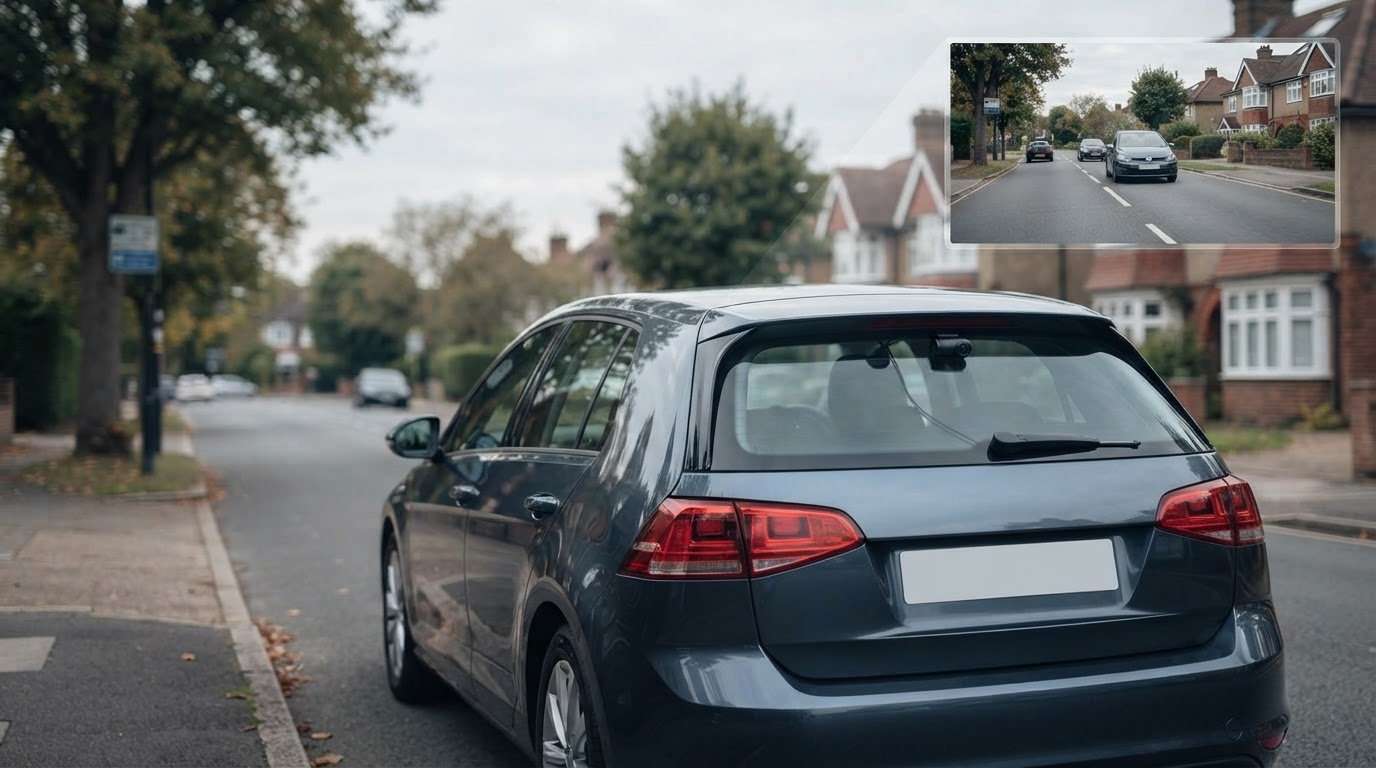
A front-facing dash cam can miss an incident behind your vehicle. A car dash cam with a rear camera records a second view, adding context a front camera alone may miss. Choosing the right setup involves more than adding another lens: camera layout, positioning, vehicle compatibility, and installation all affect how well it suits your car and driving.
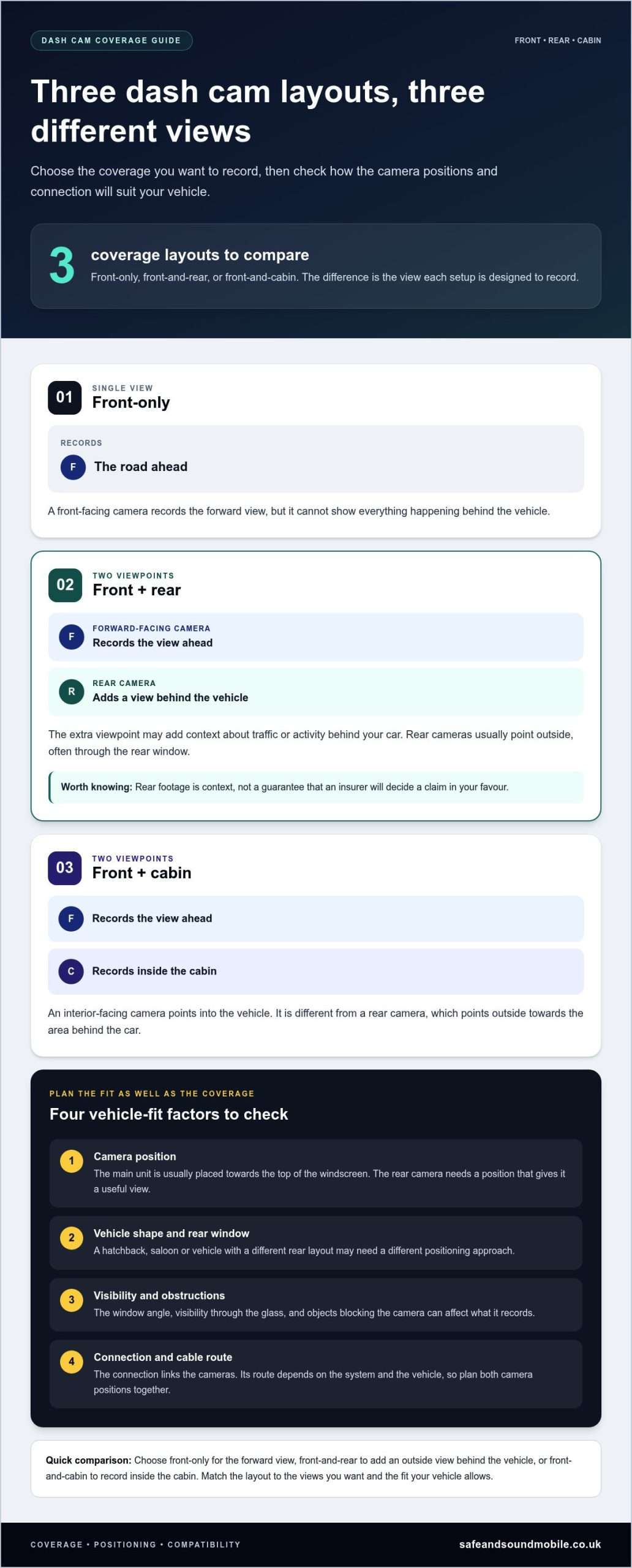
Product bundles can use different terms for camera layouts, so start by deciding what you want to record. A rear camera usually points outside towards the area behind the vehicle, while an interior camera records inside the cabin. Knowing the difference makes it easier to compare systems without relying on broad claims about recording quality.
This guide explains what rear-facing footage adds, how to compare camera configurations, and what to consider when planning an installation. Safe & Sound Mobile supplies and installs dash cameras from Thinkware, Hikvision and BlackVue, with nationwide mobile fitting at home or work.
Key Takeaways
- A car dash cam with a rear camera records in two directions, adding a view a front-facing camera alone cannot provide.
- Choose front-only, front-and-rear, or front-and-cabin coverage based on what you want recorded.
- Vehicle layout affects camera placement and cable routing, so plan the fit alongside your camera choice.
- Compare systems by their intended coverage and suitability for your vehicle, not by image-quality claims alone.
- Safe & Sound Mobile supplies Thinkware, Hikvision and BlackVue dash cameras and provides nationwide mobile fitting at home or work.
Why choose a rear-camera dash cam for UK driving?
A front-facing camera records the road ahead, but it cannot show everything happening behind your vehicle. A rear-camera dash cam adds a second viewpoint. That extra perspective may help on busy town roads, motorways, and in shared car parks, where activity behind the car can be part of the picture.
The cameras have different roles. The forward-facing unit records the road ahead, while the rear-facing unit captures the view behind the vehicle. Together, the recordings may help you review an incident from multiple angles. Footage can provide context, but it does not guarantee an insurer will decide a claim in your favour.
What does a rear dash cam add to front-facing footage?
Think of the rear camera as another perspective, not a replacement for the front one. If traffic slows suddenly on a motorway, front footage may show your response and the vehicles ahead. Rear footage may add context about traffic behind you. In a car park, it may record activity as you reverse or leave a space, depending on the camera’s position and what is visible.
A rear-facing camera and an interior-facing camera serve different purposes. A rear camera points outside the vehicle, usually through the rear window. An interior camera points into the cabin. For a general overview of dash camera types and how they work, see What is a Dashcam?
Footage is useful context, not a verdict. Objects blocking the camera’s line of sight and poor visibility can affect what it records. A recording may help explain an incident, but it may not capture every detail or settle a disagreement on its own.
Who may benefit from a front-and-rear setup?
Consider your regular journeys and parking habits. A driver who mainly uses quiet local roads may have different priorities from someone who commutes through congested routes or often parks in a busy shared area. Ask yourself whether seeing activity behind the vehicle would add useful context to the situations you encounter.
- Regular commuters: Consider whether recording traffic behind you would add useful context to your usual journeys.
- Motorway drivers: A rear view can record activity behind your vehicle alongside the forward-facing footage.
- Shared-area parking: Consider whether footage of the area behind the car would help during parking manoeuvres.
Rear coverage adds a view of what is happening behind your car, helping put some incidents into broader context. It will not suit every driver equally. Match the setup to your routes, parking habits and the coverage you want.
How a car dash cam with a rear camera records both views
A front-and-rear dash cam is a two-camera system that records views ahead of and behind your vehicle. The forward-facing unit records the road ahead; a separate rear camera records the view behind the car. The cameras work as part of one setup, although their arrangement and operation vary between systems.
In a typical layout, the main unit sits near the front windscreen, and the rear camera is positioned towards the back of the vehicle. A connection links the two cameras. Depending on the system, this may involve routing a cable between the front and rear of the car. Plan both viewpoints together so the rear camera works as part of the overall setup, rather than treating it as an unrelated accessory.
At a glance: parts of a front-and-rear dash cam
- Forward-facing camera: records the view ahead of the vehicle.
- Rear camera: records a separate view towards the back of the vehicle.
- Connection: links the cameras as part of the same system; its layout varies by setup.
What are the main parts of a dual-camera setup?
The main camera is usually positioned towards the top of the windscreen to record the forward view. The rear unit adds another angle, but its usefulness depends on what it can see from its position. Some systems are designed around a camera mounted at the rear window; others may use a different arrangement to suit the vehicle. Camera layouts and capabilities vary, so check what view the system is designed to record.
The connection links the rear unit to the front-camera setup. Its route depends on the system and the vehicle. A suitable installation accounts for both camera positions and the path between them, so the two viewpoints work together.
How does rear-camera placement affect the view?
Mounting a camera near the rear window is one way to capture a view from behind the car. The window’s angle, the vehicle’s shape, and visibility through the glass can all affect the resulting view. A hatchback, saloon and vehicle with a different rear layout may each need a different positioning approach. The aim is to find a useful view that also suits the vehicle’s design.
Before choosing a car dash cam with a rear camera, consider where the rear unit can sit and how it connects to the main camera. Objects in or around the vehicle may obstruct the view. Don’t assume every rear camera mounts or connects the same way. Choose a system and fitting approach that suits your vehicle.
Safe & Sound Mobile supplies and professionally installs dash cameras, with nationwide mobile fitting at home or work. Combining camera selection with professional dash camera fitting means the layout and connection can be considered as part of one setup.
Which rear-camera dash cam setup best matches your needs?
The right arrangement depends on what you want to record, where you drive and how you use your vehicle. A second camera is not automatically the right choice for every driver. First decide whether you want a view of the road ahead, activity behind the vehicle, or what happens inside the cabin. Then compare systems against that priority.
| Setup | Intended coverage | May suit | Practical consideration |
|---|---|---|---|
| Front-only | The road ahead | Drivers who want a simpler, forward-facing setup | t provide a separate rear or cabin view |
| Front-and-rear | The road ahead and a view towards the rear of the vehicle | Drivers who want footage from both outside directions | Rear camera position and connection need to suit the vehicle |
| Front-and-cabin | The road ahead and the vehicle interior | Drivers who want to record activity inside the cabin | An interior view isn’t the same as an outside rear view |
Front-only, front-and-rear or front-and-cabin: what differs?
Each arrangement serves a different purpose. A front-only camera records in the direction of travel. A front-and-rear system adds a view towards the back of the car, while a front-and-cabin setup is intended to show the interior as well as the road ahead. Neither a rear-facing nor an interior camera guarantees complete coverage. The view depends on the camera’s position and what it can see.
If your main priority is recording the journey ahead, a front camera may suit your needs. If you want an additional view outside the rear window, consider a front-and-rear setup. An interior view is more relevant if you want to record activity in the cabin. Check the camera arrangement before comparing bundles, because “two cameras” can refer to different combinations.
What features should you focus on when comparing cameras?
Start with the stated details of each system. If image-quality information is provided, compare like with like and check that it relates to the camera view you need. A headline claim alone doesn’t tell you how useful the footage will be in your vehicle.—camera placement, your usual journeys a, nd how straightforward the system is to use also. Coverage: Check whether the second camera faces out the back of the car or into the cabin.
- Vehicle fit: Consider where each camera can be positioned and how the layout suits your vehicle.
- Everyday use: Choose a setup that fits your regular driving and is straightforward for you to operate.
The right setup depends on the driver, the vehicle, and the views they want to record. Consider a car dash cam with a rear camera if rear coverage matters to your routine. A front-only or front-and-cabin setup may better suit other priorities. Compare the intended views first, then weigh image-quality information and ease of use against your needs.
Will a rear-camera dash cam fit your car, and what does installation involve?
A front-and-rear dash cam needs to suit your vehicle’s layout and the camera’s instructions. Rear-window shape, available mounting space and the route between the front and rear of the vehicle all affect the installation. Planning these details helps identify useful positions for both cameras and a practical route for their connection.
What vehicle details affect rear-camera fitment?
Consider the space around the front windscreen and rear window. The rear glass may be angled or shaped differently, and features such as a wiper or headrests may influence where a camera can sit and what it can see. You also need to plan the cable route between the two camera positions to avoid untidy, exposed wiring.
Cars, vans and motorhomes can present different fitting requirements. For example, vehicle length and interior layout can affect the route between cameras. No single mounting arrangement suits every vehicle. A practical assessment helps match camera positions and cable routing to the vehicle while keeping the driver’s view in mind.
What happens during professional mobile fitting?
Professional fitting brings the camera positions and vehicle layout together. The installer considers where the cameras can sit, routes their connections and checks that the intended views are visible. This avoids having to plan positioning and wiring separately from the vehicle.
- Identify the layout: Consider the front and rear windows, available mounting areas and the route between them.
- Position both cameras: Choose practical locations for the forward-facing and rear-facing views, keeping visibility in mind.
- Route the connection: Run the cable between camera positions as discreetly as the vehicle layout allows.
- Check the views: Confirm that both cameras show the intended areas and adjust their positions if needed.
Neat cable routing helps prevent wiring from lying loose across the cabin. Positioning matters too: a poorly aimed camera may record a less useful view, even if the unit itself is suitable. Checking the setup helps it work as intended, but it can’t guarantee every event will be captured or visible.
For a car dash cam with a rear camera, professional fitting can help with positioning and routing connections. Safe & Sound Mobile provides nationwide mobile installation at home or work. For help planning the camera positions and cable route, use this dash camera installation service.
Safe & Sound Mobile also offers mobile dash camera fitting at home or work.
Choose your car dash cam with rear camera and arrange fitting
Start with your vehicle and driving routine. Decide which views you want recorded, then consider where the cameras can be positioned and how their connection can be fitted neatly. A suitable car dash cam with a rear camera should meet your coverage needs and work with your vehicle.
What to have ready before choosing a system
You do not need to know every technical detail. These practical points can help narrow your choice and make fitting easier to plan:
- Your vehicle type: Note whether you drive a car, van or motorhome, as the layout can affect camera positioning and cable routing.
- Your usual journeys: Think about where and how you drive, and whether a view behind the vehicle would be useful.
- Your preferred coverage: Decide whether you want the road ahead recorded alongside an outside view of the vehicle’s rear.
- Fitting considerations: Keep rear-window visibility, mounting space and a tidy cable route in mind when comparing cameras.
This checklist gives you a clear starting point without requiring you to compare every feature on the market. It also ties the camera choice to your vehicle, rather than relying on a product description alone.
How Safe & Sound Mobile helps with camera selection and fitting
Safe & Sound Mobile supplies and professionally installs dash cameras from Thinkware, Hikvision and BlackVue. Camera selection and fitting can be considered together, taking account of the vehicle layout and the views you want. This is useful if you are unsure where a rear unit should sit or how its connection can be routed discreetly.
During installation, the cameras are positioned for their intended views, connections are routed neatly, and the views are checked. Professional fitting means you don’t have to figure out camera placement and cable routing yourself. The aim is a setup suited to your vehicle, not a one-size-fits-all arrangement.
Mobile fitting is available nationwide at home or work. When choosing a setup, consider your vehicle type, usual driving patterns, and preferred coverage. These details help guide the camera choice and fitting plan.
A front-and-rear dash cam is a practical option if you want two external viewpoints, but the right system depends on your circumstances. Consider what you want recorded, where the cameras can be positioned and how the installation will work in your vehicle.
Explore dash cameras and mobile fitting with Safe & Sound Mobile.
Take the next step with confidence.
Before choosing a system, be clear about what you want the rear view to capture and how the cameras can be positioned in your vehicle. A car dash cam with a rear camera is most useful when its configuration and fit suit your everyday needs, not simply because it includes an extra camera.
Safe & Sound Mobile supplies dash cameras from Thinkware, Hikvision and BlackVue, with nationwide mobile fitting at home or work. Professional advice can help you match your camera choice with a practical installation plan. Customer reviews also praise the tidy standard of the installations.
Ready to choose a setup? Explore dash cameras and arrange mobile fitting with Safe & Sound Mobile.
Frequently Asked Questions
Is a car dash cam with a rear camera worth it?
It can be useful if you want a view behind your vehicle alongside forward-facing footage. Consider your commute, motorway journeys and whether you often reverse into shared parking spaces. The value depends on your driving habits, where you park and your vehicle’s layout. It provides an additional perspective, not a requirement for every driver or a guarantee of an insurance outcome.
What does a front-and-rear dash cam record?
A front and rear dash cam is designed to record views from the front and rear of the vehicle. The exact areas shown depend on the system and where each camera is fitted. A rear-facing camera looks towards the road or area behind the car, while an interior-facing camera records inside the cabin. Check the arrangement so the second view matches what you want to capture.
Can you fit a rear dash cam to any car?
Fitment depends on the vehicle and camera system, so don’t assume every setup fits every car the same way. Rear-window shape, available mounting space and the interior layout can affect camera position and cable routing. Safe & Sound Mobile provides vehicle-specific advice and nationwide mobile installation for cars, vans and motorhomes.
Does a rear dash cam need professional installation?
Professionalinstallation isn’ttmandatorym, butrequirementss vary by camera and vehicle. A professional installer can help position the unit, route connections neatly, and ensure the views are clear. If you prefer a professional installation, Safe & Sound Mobile offers mobile fitting at home or work across the UK.
Can a rear dash cam record when the car is parked?
That depends on the specific camera system and how it is set up. The term “rear dash cam” describes the camera view; it doesn’t indicate whether the system records while parked. Check the camera’s stated capabilities, including any conditions for parked recording. Do not assume this feature is included simply because a setup has front and rear cameras.
How much does it cost to fit a car dash cam with a rear camera?
Price is available on request. To make your enquiry specific, include the camera setup you are considering and the vehicle you drive. Safe & Sound Mobile supplies and installs dash cameras, with mobile fitting at home or work across the UK.
About author
Related posts
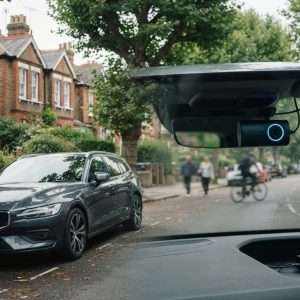
A dash cam can keep recording when your car is off, but only if it has a suitable power source and parking mode. A hardwired... Continue reading
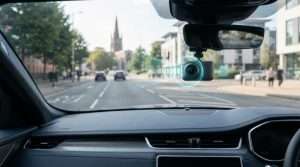
A dash cam’s recording time depends on its memory card and video quality. For a single-camera setup, a 32GB card stores around 2 to 4... Continue reading
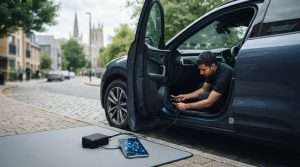
The right car tracking system isn’t necessarily the one with the longest feature list. It’s the one that suits your vehicle, your insurer’s... Continue reading
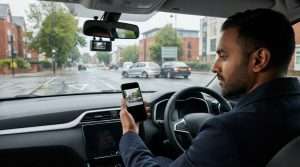
A dash camera can capture a collision clearly and still not tell the whole story. Understanding car dash camera causes of road traffic accidents... Continue reading
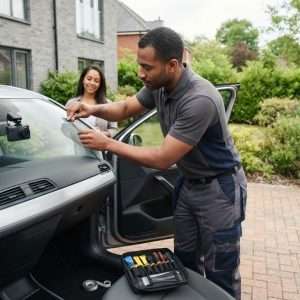
Searching for car camera fitting near me doesn’t have to mean driving to a workshop. Safe & Sound Mobile provides professional dash camera... Continue reading