
No products in the cart.
Vodafone Tracking Explained
Order Tracking, Vehicle Security and UK Options
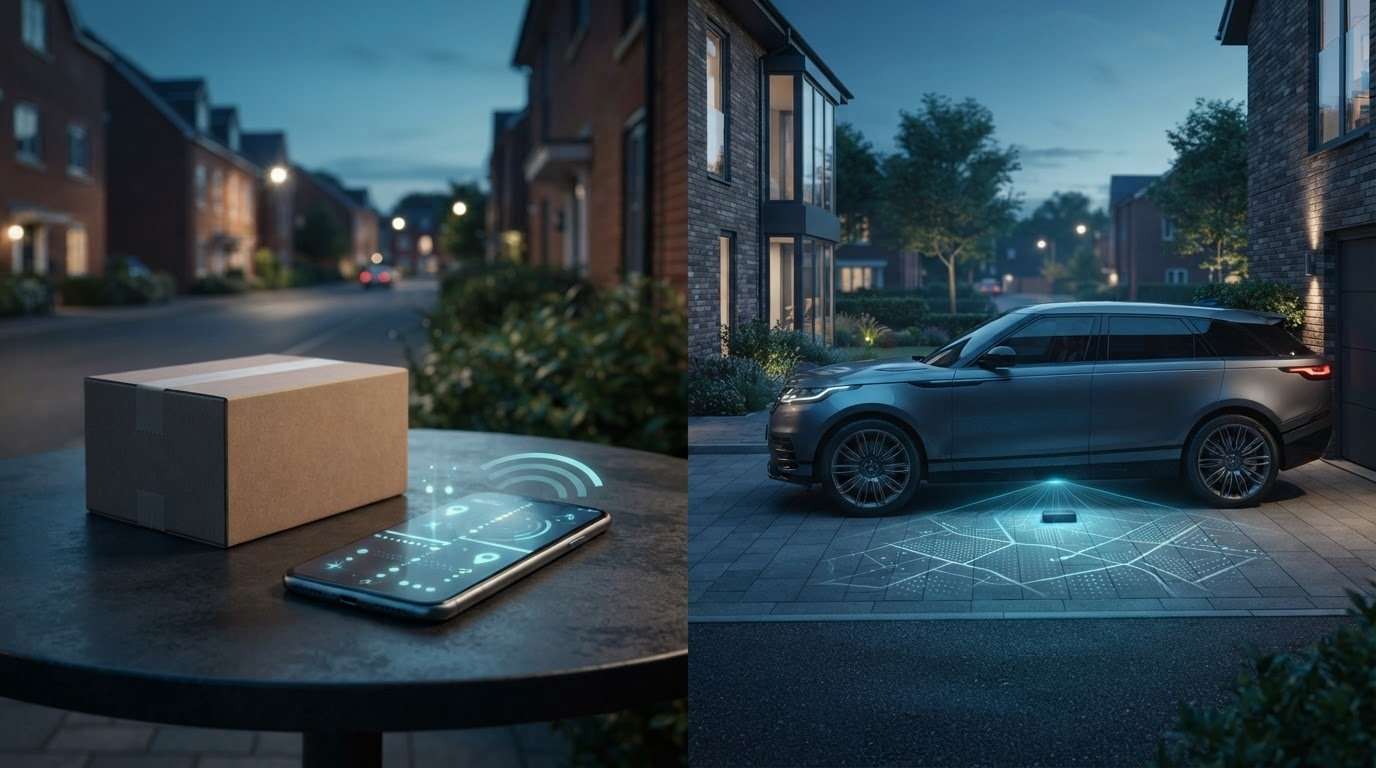
Are you trying to track a Vodafone delivery, or protect a vehicle from theft? Vodafone tracking can mean two different things: a purchase update or vehicle security and tracking through Vodafone Automotive.
If you’re unsure where to manage an order or what a vehicle tracker needs to do, first identify which meaning fits your situation. This guide explains the difference, what to compare when choosing a vehicle tracker, and why your insurance policy matters before you decide. You’llalso find an overview of Thatcham S5 and S7 options, plus practical steps to match a tracker to your vehicle and policy. Safe & Sound Mobile supplies and professionally installs insurance-approved trackers, with mobile fitting across the UK. Read on to find the right next step, whether you’re following an order or considering a vehicle tracker.
Key Takeaways
- Identify whether Vodafone tracking relates to an order or a vehicle, then follow the relevant route.
- Understand what vehicle trackers can do and why features depend on the system and service arrangement.
- Compare tracker approval, fitting, and ongoing service with your vehicle’s needs and your insurance policy wording.
- Use a simple decision process to identify the tracker category you need and plan a suitable professional installation.
Vodafone tracking: are you tracking an order or a vehicle?
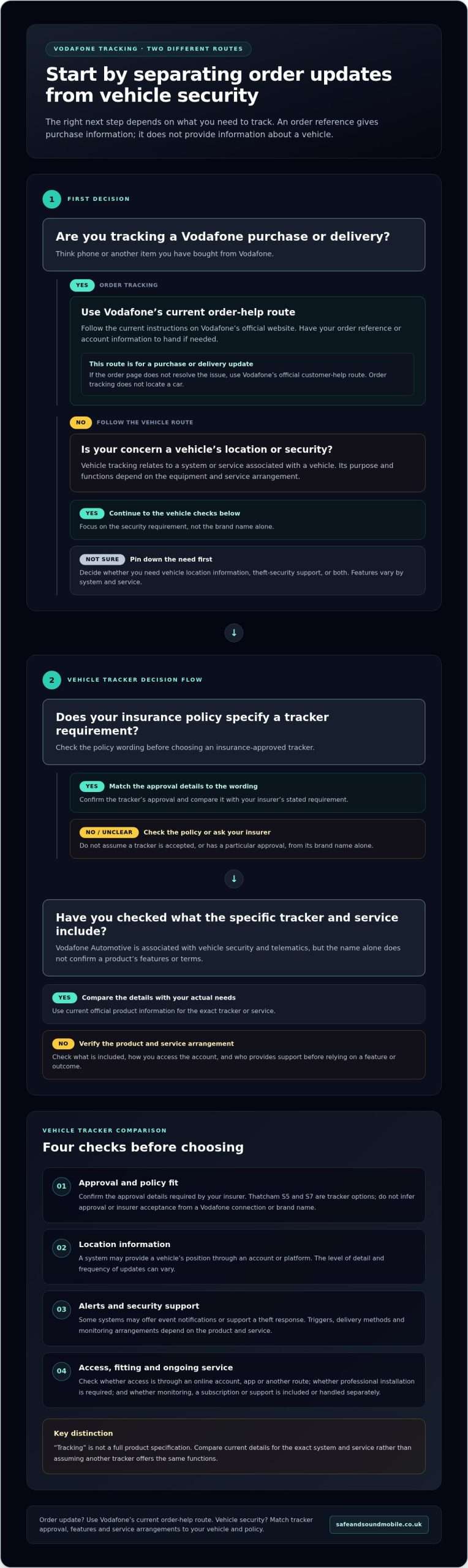
The right route depends on what you need to follow. If you’ve bought a phone or another item from Vodafone, you’re looking for an order update. If you’re concerned about a car’s location or security, you’re asking about vehicle tracking. These services serve different purposes, and an order referencewon’tt provide vehicle information.
Quick distinction
- Order tracking: checks the progress of a Vodafone purchase or delivery using order details.
- Vehicle tracking: relates to a system or service designed to provide vehicle location information or support security, depending on the arrangement.
This distinction helps make sense of Vodafone tracking search results. Vodafone’s vehicle-related business operates under the Vodafone Automotive name and covers vehicle security and telematics. That doesn’t mean every vehicle tracker is a Vodafone product or that different systems offer the same functions.
How do I track a Vodafone order?
For a Vodafone purchase, go to Vodafone’s official website and use its current order-tracking or customer-help pages. Follow the instructions shown there. You may need details such as your order reference or account information, so have your purchase details to hand.
Order pages and instructions can change. Use Vodafone’s current guidance rather than an old walkthrough or a search result describing a previous process. If the order page doesn’t resolve your issue, use Vodafone’s official customer-help route for purchase or delivery questions. This is the right path for an order update, not for locating a car.
What does Vodafone vehicle tracking mean?
In a vehicle-security context, tracking refers to a system or service associated with a vehicle, rather than the movement of a parcel through delivery. A general vehicle tracking system can involve equipment and software used to determine or manage location information. The exact capabilities depend on the system and service arrangement.
Vodafone Automotive is the relevant Vodafone division for vehicle security and telematics. The name alone doesn’t indicate which app functions, tracking updates, monitoring arrangements, or subscription terms apply to a specific service. Check the current official information for the exact product and service before relying on particular features or outcomes.
If your question is about protecting your vehicle, focus on the security requirement rather than the brand name alone. Check your insurer’s policy wording and compare suitable insurance-approved tracker options. Safe & Sound Mobile supplies and professionally installs insurance-approved vehicle trackers, including Thatcham S5 and S7 options, with mobile fitting across the UK. The following sections explain what to compare and how your policy wording can shape the right choice.
How vehicle tracking works, and what Vodafone-specific details to verify
A vehicle tracker uses location technology and related equipment or software to provide information about a vehicle’s position. Depending on the system, it may also support security or recovery processes. The equipment, service and account arrangement determine what information is available, how you access it and what happens if a vehicle is stolen.
Separate general vehicle-tracking functions from claims about a Vodafone-branded service. Vodafone Automotive is associated with vehicle security and telematics, but the brand name alone doesn’t define a tracker’s capabilities or terms. Check the official product and service information before relying on specific claims.
Which vehicle-tracking features should readers understand?
Vehicle-tracking products can differ in the functions they provide. Use these general feature categories to compare options, not as confirmed specifications for Vodafone tracking:
- Location information: a system may provide a vehicle’s position through an account or platform. The level of detail and update frequency can vary.
- Alerts: some systems may offer notifications related to defined events. Triggers and delivery methods depend on the product and service.
- Account access: information may be managed through an online account, an app or another route, depending on the provider’s arrangement.
- Security support: some services may be designed to support a response to theft. Check the process and any monitoring arrangements for the specific system.
Don’t assume that a feature available with one tracker is included with another. Update intervals, alert settings and remote functions can vary between products and service plans. Compare the current product information with the features you actually need rather than relying on the word “tracking”.
What should you verify about a Vodafone-related tracker?
Before deciding, confirm what the named service includes and who manages it. Official product information should identify the tracker or service, how you access and manage your account, and any conditions attached to use. If the service involves collecting or using personal information, consult the UK government data protection guidelines for general information about handling data.
Check the practical arrangements, too. Does the specific service require professional installation? Is monitoring or a subscription included, or handled separately? Who provides support and account access? These details depend on the product and service.
Most importantly, don’t infer Thatcham approval, acceptance by your insurer or a particular recovery outcome from Vodafone branding alone. Confirm the tracker’s approval details and compare them with your policy wording. If you’re considering an insurance-approved option, a professional vehicle tracker fit can be a practical next step once you’ve identified the requirements your vehicle and policy must meet.
Vodafone tracking and insurance-approved trackers: how to compare them
A tracker can support vehicle security, but the device or service name doesn’t tell you whether it meets your insurer’s conditions. Compare the specific system with your vehicle and policy. Treat Vodafone-related services and insurance-approved alternatives as separate options unless product-specific information shows they are the same.
Check your insurer’s requirements against your individual policy. Look for the required tracker category and any relevant conditions in your policy documents. If the wording is unclear, ask your insurer to explain the requirement before arranging a fitting.
| What to compare | What to check |
|---|---|
| Approval | Is the exact tracker identified as meeting the category or approval named in your policy? |
| Insurer requirements | Does your policy specify S5, S7 or another condition for your vehicle? |
| Installation | Does the system require professional fitting, and will the planned installation meet the insurer’s conditions? |
| Ongoing service | Check what account access, monitoring or subscription arrangements apply to that specific system. |
Does a Vodafone tracker meet your insurance requirements?
There isn’t a universal yes or no. Suitability depends on the exact tracker, your insurer’s requirements and your policy wording. Don’t assume that the Vodafone name means a system is approved or accepted for your cover. Verify the product’s approval details and match them to the category your insurer specifies. If your policy names a particular category, a different category may not meet that requirement.
How do Thatcham S5 and S7 trackers fit the comparison?
Safe & Sound Mobile supplies and professionally installs insurance-approved Thatcham S5 and S7 trackers. S5 and S7 are distinct categories, so compare the one named in your policy rather than treating them as interchangeable. Use your policy wording to guide your vehicle-specific choice, and check current category descriptions and approval details before selecting a tracker.
For example, if your policy states S5, don’t select an S7 tracker assuming any approved category will do. Confirm the required category first, then compare suitable systems, fitting arrangements and ongoing service terms. If you’re considering Vodafone tracking for a vehicle, independently verify the exact product and its approval. Branding alone doesn’t establish insurer acceptance.
Keep the decision practical: identify the policy requirement, confirm the tracker’s category, then check that the fitting and service arrangements suit your vehicle. Safe & Sound Mobile offers insurance-approved S5 and S7 systems with professional mobile fitting across the UK. This gives you a clear route to compare an insurance-focused tracker with a Vodafone-branded service.
Choosing and fitting a vehicle tracker in the UK
Choose a tracker by starting with your vehicle and insurance requirement, not a brand name alone. First, establish what your policy requires, then identify the required category, select a suitable system, and arrange fitting. This keeps the decision focused on yourvehicle’ss needs and helps you avoid choosing a tracker that doesn’t match your cover.
- Read your policy wording. Find any tracker condition and note the exact category or approval requirement. If the wording is unclear, ask your insurer to explain it before choosing equipment.
- Identify the required category. Use the policy wording as your guide. Don’t assume one tracker category can replace another.
- Choose a suitable system. Compare the required approval with the tracker’s specific details. Consider account or convenience features separately from the insurer’s core condition.
- Arrange professional fitting. Once you’ve selected a suitable tracker, plan the installation to match the vehicle and system requirements.
What information helps you choose the right tracker?
Start with your vehicle details and the precise insurance requirement. The make, model and year can help identify the vehicle, while your policy wording tells you what approval or category to look for. Keep these essentials separate from optional features, such as how you access account information. A useful feature doesn’t replace a condition your insurer has specified.
For example, if your policy names a tracker category, confirm that the system you’re considering matches it before making arrangements. Don’t choose S5 or S7 based on a general recommendation alone. The vehicle, insurer’s requirement and tracker details must align. A Vodafone-branded service shouldn’t be assumed to meet an insurance condition without product-specific evidence.
What happens during professional mobile fitting?
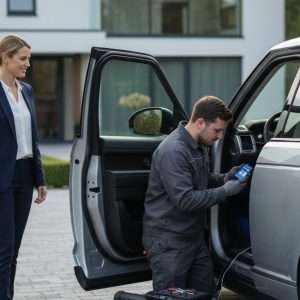
Professional fitting involves a technician installing the selected vehicle-security hardware. The work depends on the system and vehicle, so don’t assume every installation follows the same process or takes the same time. Safe & Sound Mobile provides mobile fitting across the UK, bringing the installation service to the customer’s location.
Before arranging a fitting, have your vehicle details and policy requirements ready. This helps keep the choice focused on the correct tracker rather than optional features. Safe & Sound Mobile supplies and professionally installs insurance-approved vehicle trackers, including Thatcham S5 and S7 options, with mobile fitting across the UK. Compare the selected tracker with yourinsurer’ss wording rather than treating different brands or services as interchangeable.
If you’ve identified the category your policy requires, arrange professional mobile tracker fitting next. Confirm that the selected system matches the requirement before installation, and keep the product and fitting details with your vehicle records.
Your next step: choose a tracker that matches your vehicle and policy
Start by separating the two possible needs. For an order, use Vodafone’s official order-tracking or customer-help route and have your order details ready. For vehicle security, focus on the tracker category your insurer requires and how they’ll arrange the fitting. Vodafone tracking for an order and choosing a vehicle tracker are different tasks.
Use this checklist before deciding. It keeps your choice grounded in your policy and vehicle, not assumptions about a brand or feature list.
A simple checklist before arranging a tracker
- Check your policy: Find the exact wording about a tracker, approval or category. Ifit’ss unclear, ask your insurer to explain the requirement.
- Identify your vehicle: Have its details ready so you can choose a suitable system and plan the fitting.
- Match the category: Choose a tracker that meets the category stated in your policy. Don’t assume S5 and S7 are interchangeable.
- Consider fitting needs: Decide where the installation will take place and keep practical access arrangements in mind.
- Separate the purpose: An order reference helps with a Vodafone purchase. Start with your car and insurance policy.
Arrange insurance-approved tracker fitting.
Once you’ve identified the category your policyrequiresr, you can compare suitable vehicle-security options withmorer confidence. Safe & Sound Mobile supplies and professionally installs insurance-approved vehicle trackers, including Thatcham S5 and S7 options. Your individual policy wording remains the guide when selecting a category.
Professional fitting is a practical next step once you’ve chosen a suitable system. Safe & Sound Mobile provides a UK-wide mobile fitting service, bringing installation to the customer’s location. The vehicle and tracker determine the fitting requirements, so have your vehicle details and policy conditions to hand as you plan.
Ready to move from research to vehicle protection? Explore Safe & SoundMobile’ss insurance-approved tracker installation options and take the next step towards a system that matches your vehicle and policy.
Make your next vehicle-security decision with confidence.
Keep your insurer’s wordingande your vehicle detailshandy ase you decide. This gives you a clear reference point when comparing tracker categories and planning installation, without relying on assumptions about a brand or service. If your original need was an order update, use Vodafone’s official order route. If you’re looking for vehicle protection, focus on a tracker that matches your policy. This distinction keeps Vodafone tracking searches on the right track.
For vehicle security, Safe & Sound Mobile supplies and professionally installs insurance-approved trackers, with Thatcham S5 and S7 options and UK-wide mobile fitting. Use your policy requirement to guide your choice, then plan the fitting.
Explore insurance-approved vehicle tracker fitting and take the next step towards protecting your vehicle with a system that matches your policy.
Frequently Asked Questions
What does Vodafone tracking mean?
Vodafone tracking can mean checking an order’s progress or looking for information about vehicle-related tracking. The first concerns a purchase or delivery; the second relates to vehicle security and telematics associated with Vodafone Automotive. The useful clue is what you need to follow: an order reference points to a delivery query, while a question about protecting or locating a car concerns vehicle tracking. The systems and information are separate.
Can Vodafone track my car?
Vodafone Automotive covers vehicle security and telematics, but whether a service can track your car depends on the specific product and account arrangement. Don’t assume the Vodafone name means a tracker is already fitted, active or linked to your vehicle. Check the exact service information and, if you’re considering a tracker for insurance, compare its stated category with your policy requirement before relying on it.
Is Vodafone vehicle tracking the same as an insurance-approved tracker?
Not necessarily. Vehicle tracking describes a broad type of system or service, while “insurance-approved” refers to whether a specific tracker meets your insurer’s requirements. One label doesn’t automatically establish the other. A recognised brand name alone may not show that a tracker meets a policy condition. Check the exact tracker category and your policy wording before treating any system as suitable for your cover.
How can I tell whether my car insurance requires a tracker?
Check your policy schedule, wording and any endorsements for a tracker condition. Look for a specified category or approval and note whether the requirement applies to your vehicle or cover. If you’can’tsure what the wording means, ask your insurer to clarify before arranging installation. Keep the relevant policy passage handy when comparing options so that you can match the tracker to the actual condition rather than a general recommendation.
Can I have an insurance-approved tracker fitted at home or work?
Yes. Safe & Sound Mobile provides a mobile fitting service, with technicians travelling to the customer’s location across the UK. This can make arranging professional installation more convenient than taking your vehicle to a fixed site. Have your vehicle details and your insurer’s tracker requirements ready when planning the fitting. The installation location and arrangements should suit the vehicle and selected system.
What is the difference between a Thatcham S5 and S7 tracker?
S5 and S7 are different Thatcham tracker categories, not interchangeable names for the same specification. In general, S7 refers to an asset location system, while S5 is a vehicle tracking system that includes driver recognition tags. Your insurer may specify one category, so check the policy wording rather than choosing by the category label alone. Safe & Sound Mobile installs S5 and S7 tracker options.


About author
Related posts
A dash cam’s recording time depends on its memory card and video quality. For a single-camera setup, a 32GB card stores around 2 to 4... Continue reading

Does a gps tracking dash cam let you find your car if it’s stolen? Not by itself. GPS can add location and journey context to... Continue reading
Could choosing the wrong tracker category leave your insurer’s requirement unmet? The right thatcham approved tracker installation uk starts with the... Continue reading

Real-Time GPS Tracking Chelmsford: Cars, Vans and Fleets Real-time GPS tracking can help vehicle owners and businesses in Chelmsford view location information through a supported... Continue reading
Thatcham Trackers in Widford: S5, S7 and Fitting Checks Thatcham trackers for a vehicle in Widford should be chosen around the exact product, vehicle and... Continue reading