
No products in the cart.
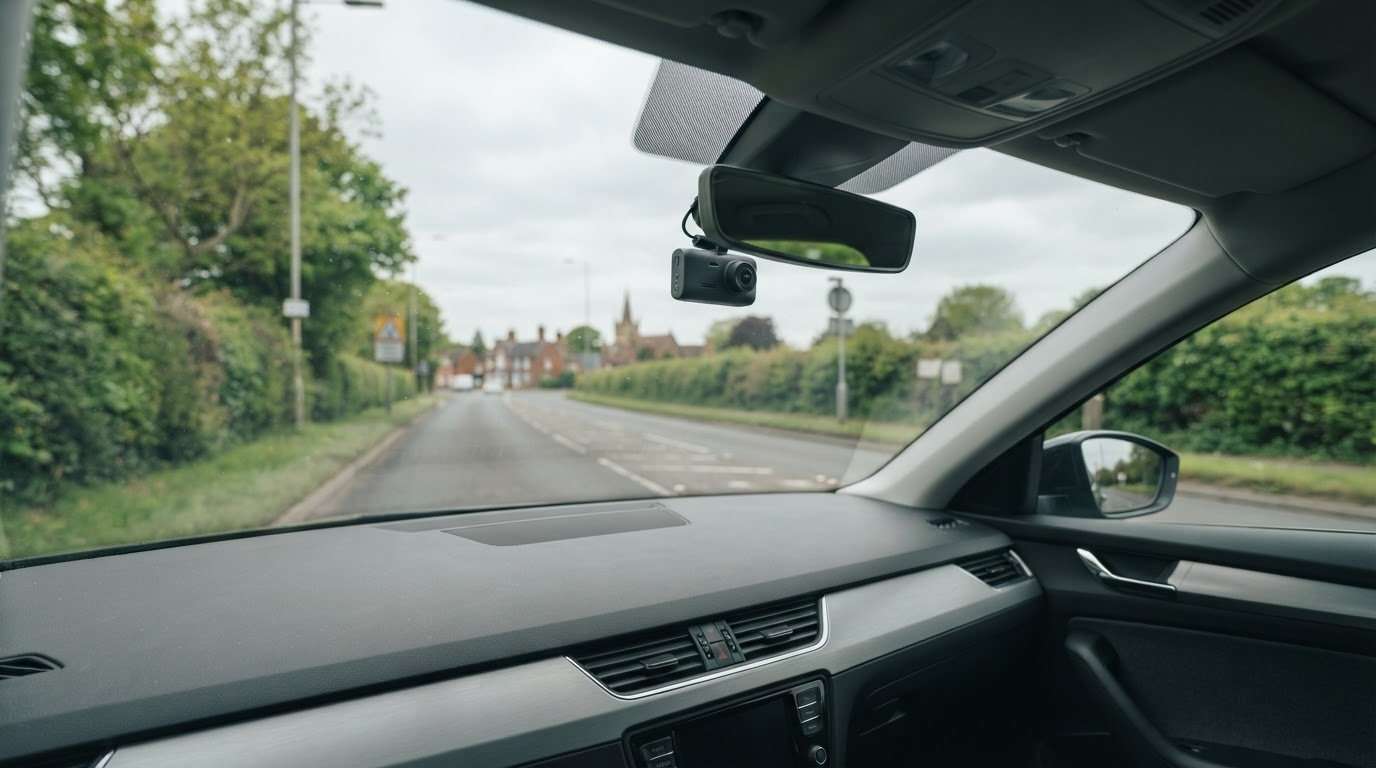
Car Camera UK: Choose a Dash Cam in 2026
Choose a Dash Cam in 2026
The highest-spec car camera isn’t automatically the right choice for your vehicle. Choosing a car camera UK drivers can rely on starts with how and where you drive, whether you want coverage while parked, and how you’ll access important footage later.
A dash camera is different from a phone camera app: it’s a dedicated device for recording journeys from inside a vehicle. The useful questions are practical ones. Do you want to record the view ahead, or do you need wider coverage? How will you fit the camera, and do you know how to manage its recordings?
This guide covers camera choices, footage management and fitting. Safe & Sound Mobile supplies and professionally installs Thinkware, Hikvision and BlackVue dash cameras, with mobile fitting at home or work across the UK. Use the steps below to clarify your needs and plan a setup around your vehicle and driving routine.
Key Takeaways
- Understand how an in-vehicle dash camera differs from a smartphone camera app so that you can choose the right tool for recording journeys.
- Use this UK car camera guide to match coverage and setup to your driving priorities.
- Compare DIY fitting with professional installation and weigh which approach suits your vehicle and confidence level.
- Plan your setup in stages: decide what you need to record, choose a camera, arrange fitting and learn how to manage its footage controls.
What does car camera mean for UK drivers?
In this guide, a car camera means an in-vehicle dash camera designed to record journeys. It is fitted for use in a vehicle and has a different purpose from a smartphone camera app. If you’re comparing car camera options in the UK, first decide what you want to record and how a dash camera could fit your routine.
The term”car camera” can mean different things. Here, it refers to a dedicated device that records inside a vehicle, rather than a phone used to film or a camera for personal photography. For a wider overview of the device and its uses, see What is a dashcam?
How is a car camera different from a phone camera?
A smartphone camera app is a general-purpose tool for taking photographs or recording video on a phone. A dash camera is an in-vehicle recording device intended to record journeys. They serve different needs, so a phone app should not automatically be treated as a substitute for a dedicated vehicle camera.
This distinction can help first-time buyers choose the right option. If you want a dedicated record of your driving, compare dash cameras and consider how you’ll use and manage their recordings. A phone may still be useful for capturing a particular moment when it’s safe and appropriate, but that is a different use.
What can a dash camera help a driver do?
A dash camera can record a journey. Footage may help you recall what happened on a particular drive, but it doesn’t guarantee that it will establish fault, settle a dispute or determine the outcome of a claim. Treat it as a record, not a promise of a particular result.
Before choosing a camera, identify what you want it to do. You might want to record your regular commute, a longer drive, or journeys in a work vehicle. These priorities help define what you need without relying on assumptions about features or outcomes. Start with a few practical questions:
- What do you want recorded? Think about your usual driving and whyyou’ree considering a camera.
- Where will the camera be used? Consider the vehicle and the journeys you make.
- What will you do with recordings? Decide how you’d access and manage footage if you needed to refer to it later.
These answers give you a clear starting point. When comparing dedicated in-vehicle cameras, focus on coverage, fit, and footage controls that suit your driving routine.
How to choose a car camera for your driving needs
Start with what you want the camera to do. A car camera for everyday journeys may need a different setup than one meant to capture more than the view ahead. Consider your regular routes, who uses the vehicle, and where it is usually parked. These details can help you narrow down coverage and fitting requirements before comparing cameras.
No single configuration suits every driver. A vehicle used mainly for short local journeys may have different priorities from one used for longer trips or work. Consider which areas you want recorded and how a camera will fit in your vehicle. Safe and Sound Mobile provides vehicle-specific advice to help you weigh up these practical requirements.
Which camera coverage should you consider?
A front-only setup focuses on recording the view ahead. A multi-camera setup may be worth considering if you want coverage beyond the forward view. These are broad configuration choices, not a guarantee of what any particular model records. First identify the areas that matter for your journeys, then compare suitable options. The guide The Best Dash Cams for UK Roads offers another place to explore dash camera choices.
Be specific about your priorities. Is recording the road ahead enough, or do you want other areas around the vehicle covered? Wider coverage affects the camera configuration and installation required, so factor it into your decision from the start.
Which practical details should shape your choice?
Look beyond the camera itself. Your vehicle, how you use it and where you park can all shape the setup that makes sense. Also consider how you want the equipment fitted. Safe and Sound Mobile offers professional mobile fitting at home or work across the UK, with vehicle-specific advice as part of the setup planning.
Think about footage management, too. The way recordings are accessed and handled varies by camera, so consider whether you’re comfortable using the controls. Check the requirements and instructions for the camera you’re considering rather than assuming how long footage is kept or what accessories are supplied.
Use this checklist to clarify your needs before choosing:
- Purpose: Do you want a record of routine journeys, work trips or another type of driving?
- Coverage: Is a forward view enough, or do you want to consider coverage beyond it?
- Vehicle: Which vehicle will use the camera, and who drives it?
- Parking: Where do you usually leave the vehicle, and does that affect your priorities?
- Fitting and footage: Would you prefer a professional fit, and are you comfortable learning the camera’s footage controls?
Clear answers make comparisons more useful and keep the decision grounded in your driving routine. For vehicle-specific dash camera advice and mobile fitting, Safe and Sound Mobile can help you plan a setup around your vehicle and coverage needs.
DIY or professional car camera fitting: what should you weigh?
Choosing a car camera also means deciding how you want it fitted. Self-installation may suit drivers who are comfortable following the camera’s instructions and fitting it themselves. Professional fitting offers vehicle-specific advice and installation planned around your vehicle and chosen coverage. Compare the practical differences before deciding.
Self-installation
May suit drivers who are confident following product instructions and can arrange the fitting themselves. Allow time to understand the requirements and take responsibility for the installation.
Professional fitting
Includes vehicle-specific advice and professional installation. It can be a practical choice if you’d prefer an experienced technician to fit the camera and complete a tidy installation.
Neither approach is automatically right for every driver. Your choice may depend on your confidence, available time, vehicle and preferred coverage. Avoid attempting work you’re unsure how to carry out safely. Safe and Sound Mobile provides professional mobile installation at home or work across the UK, so you can arrange fitting without travelling to a fitting location.
What does professional mobile fitting offer?
Mobile fitting brings the installation to your home or workplace, making it easier to plan. Safe and Sound Mobile’s technicians provide professional installation and vehicle-specific advice, helping you consider how your chosen camera setup relates to your vehicle. Customer reviews also praise the tidy installations.
Vehicle-specific advice can be useful if you’re choosing between coverage options or want the setup considered in the context of your vehicle. You can also read The Ultimate Guide to Car Dash Cam as you think through the basics of choosing a dash camera.
What should you prepare before a fitting?
A little preparation can make the appointment more straightforward. Have the vehicle available at the agreed home or work location and think through your preferences in advance. You don’t need to settle every technical detail beforehand. Information about your vehicle and intended coverage gives the fitting discussion a useful starting point.
- Make the vehicle available: Arrange for it to be present at the agreed fitting location.
- Consider coverage: Decide which areas you want the camera setup to record.
- Share vehicle details: Provide relevant information so the advice can be tailored to your vehicle.
- Describe your priorities: Explain how you use the vehicle and what you want from the camera setup.
These steps link your camera choice to the fitting. If professional mobile installation suits your plans, Safe and Sound Mobile brings dash camera fitting to your home or workplace across the UK.
Plan your car camera setup and footage routine.
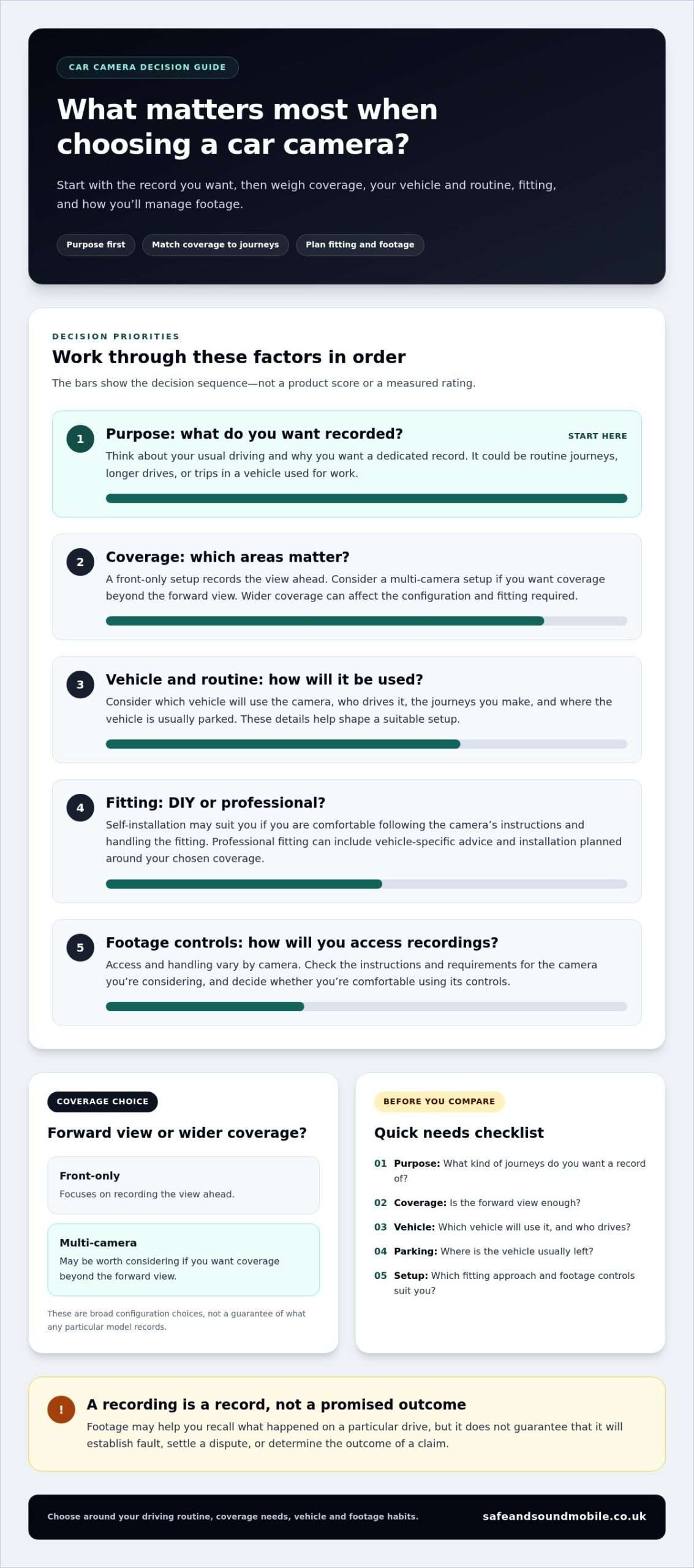
A well-planned car camera setup involves more than choosing a device. Decide what you want covered, select a suitable camera, arrange fitting and learn how to manage its recordings. Planning these steps together helps you understand how the camera fits into your driving routine before you need to use its controls.
- Define your coverage needs. Consider the journeys you make and which areas you want recorded.
- Choose a camera. Compare options against your intended coverage and how you use the vehicle.
- Arrange fitting. Plan how and where the camera will be installed in your vehicle.
- Learn the footage controls. After installation, take time to understand how your chosen camera records.
These decisions work together. The camera setup should reflect the vehicle’s regular use, while your footage routine should be based on the controls available on that device. Don’t assume every dash camera handles recordings the same way.
How should you think about recorded footage?
Footage handling depends on the selected camera and its setup. Controls for viewing, managing or accessing recordings can vary by model. After fitting, read the device’s instructions and learn the relevant controls. This helps you find and manage footage without relying on assumptions about automatic uploads, permanent storage, or what a recording may establish.
Make learning the controls part of setup, rather than leaving it until an incident occurs. Keep the instructions somewhere easy to find. If the camera has different operating options, use its guidance to understand what each one does.
How can you make the setup suit your routine?
Think about how the vehicle is actually used. Regular commuting, work journeys, and occasional longer trips may require different coverage priorities. Once the camera is fitted, keep its instructions with your vehicle information and familiarise yourself with the controls. A straightforward routine makes it easier to manage footage when you want to refer to a journey.
For a practical review, ask yourself:
- Does the chosen coverage reflect the journeys I regularly make?
- Do I know how to access and manage recordings on this camera?
- Can I find the operating instructions when I need them?
- Have I considered how the setup fits the vehicle and my preferred fitting approach?
Use your answers to refine the setup before treating the camera as ready for everyday use. Ifyou’ree planning a car camera installation in the UK, Safe and Sound Mobile supplies and professionally fits dash cameras. Explore professional car camera fitting and plan your installation around your vehicle and recording needs.
Get a car camera fitted by Safe and Sound Mobile.
Choosing a dash camera comes down to a few practical decisions: identify what you want recorded, choose coverage that suits your driving and arrange fitting for your vehicle. Safe and Sound Mobile supplies and professionally installs Thinkware, Hikvision and BlackVue dash cameras. Its technicians provide vehicle-specific advice to help you decide your next steps.
A car camera that can be fitted at home or work makes installation part of the overall decision, rather than a separate task to organise elsewhere. Safe and Sound Mobile offers nationwide mobile fitting, and customer reviews praise its professional, tidy installations.
What Safe and Sound Mobile brings to your setup
Safe and Sound Mobile supplies and installs Thinkware, Hikvision and BlackVue dash cameras. The team’s vehicle-specific advice helps you consider your car and the coverage you want before arranging installation. Professional fitting integrates the chosen setup with your vehicle, and mobile service means we can fit it at your home or workplace across the UK.
If you’ve settled on the areas you want covered but would value guidance on a setup for your vehicle, start with how you use the car and what you want recorded. Discussing those priorities helps shape the fitting plan, rather than choosing a product based on name alone.
How to take the next step
Make the fitting discussion useful by sharing your vehicle details and explaining your coverage priorities. For example, say whether you’re considering a forward-facing view or coverage beyond it. This gives the team a practical starting point for vehicle-specific advice and arranging fitting at home or work.
- Identify your priorities: Note what you want the camera to record during your regular journeys.
- Outline your vehicle: Include the vehicle details needed to discuss a suitable setup.
- Arrange fitting: Choose a home or work location for the mobile installation.
Once your camera is fitted, take time to learn its controls and keep its operating instructions accessible. This final step helps you feel prepared to manage recordings using the camera’s guidance.
Move from choosing coverage to arranging professional installation with Arrange your car camera installation. Safe and Sound Mobile supplies and fits dash cameras across the UK, with mobile installation at home or work.
Make your next car camera decision with confidence
Turn your priorities into a clear fitting plan. Decide what you want your car camera to record, consider how the setup will suit your vehicle and note any questions about coverage or footage controls. This gives you a practical starting point for choosing a car camera in the UK, without getting distracted by features that don’t match your needs.
Professional installation can help you plan a setup for your vehicle. Safe and Sound Mobile supplies Thinkware, Hikvision and BlackVue dash cameras and offers mobile fitting at home or work across the UK. Customers have praised its professional, tidy installations, giving you a straightforward route from choosing coverage to arranging fitting.
When you’re ready, arrange professional car camera fitting with Safe and Sound Mobile. The team supplies and installs dash cameras across the UK, with mobile fitting at home or work.
Frequently Asked Questions
Can a car camera record while the vehicle is parked?
Some dash cameras can record while parked, but this depends on the camera and how it is set up. Don’t assume a camera records every time you leave the vehicle unattended. If parked coverage matters, read the camera’s specs and understand how the feature works before relying on it. Your vehicle’s parking routine can help you decide whether this feature is relevant.
How long does a car camera keep its recordings?
No single recording period applies to every dash camera. How long footage remains available depends on the camera, its settings and how it manages recordings. Some devices overwrite older footage as storage fills, so don’t assume an important clip will remain available indefinitely. Read the camera’s instructions to learn how to find, save or manage a recording, and act promptly if you need to keep a particular clip.
Can dash camera footage prove who was at fault in an accident?
Dash camera footage may show an incident, but it doesn’t automatically prove who was at fault. A clip can show only part of what happened, so context matters, including what occurred before and after the recorded moment. The people handling an incident or claim assess the available information. Keep the original footage available if it may be relevant, and don’t treat a recording as a guaranteed outcome.
Will a dash cam drain my car battery?
A dash camera’s effect on the battery depends on how it’s powered and whether it keeps running when the vehicle is parked. The camera and fitting setup matter, so there isn’t one answer for every car camera a UK driver might choose. Follow the product’s instructions and understand its power arrangements before use. If battery concerns affect your choice, raise them when planning the fitting rather than guessing how a setup will behave.
Can I move a car camera from one vehicle to another?
It may be possible, but don’t assume a camera can be transferred without changes. How it is fitted, the second vehicle, and the camera’s requirements can all affect what’s involved. Read the device instructions before removing or reinstalling it, and consider whether the new vehicle needs a different position or fitting arrangement. If the camera was professionally installed, get useful advice before attempting to move it yourself.
Do I need a professional to fit a car camera?
No, professional fitting isn’t essential for every driver. Some people may be comfortable following the camera’s installation instructions themselves. Professional fitting is a practical option if you want vehicle-specific advice or prefer an experienced technician to install the camera. Consider your confidence, vehicle and chosen setup. If you’re unsure about any part of fitting, don’t improvise; follow the instructions or use professional help.

About author
Related posts
A dash cam’s recording time depends on its memory card and video quality. For a single-camera setup, a 32GB card stores around 2 to 4... Continue reading
A dash cam can keep recording when your car is off, but only if it has a suitable power source and parking mode. A hardwired... Continue reading
Could choosing the wrong tracker category leave your insurer’s requirement unmet? The right thatcham approved tracker installation uk starts with the... Continue reading
The right car tracking system isn’t necessarily the one with the longest feature list. It’s the one that suits your vehicle, your insurer’s... Continue reading
A dash camera can capture a collision clearly and still not tell the whole story. Understanding car dash camera causes of road traffic accidents... Continue reading