
No products in the cart.
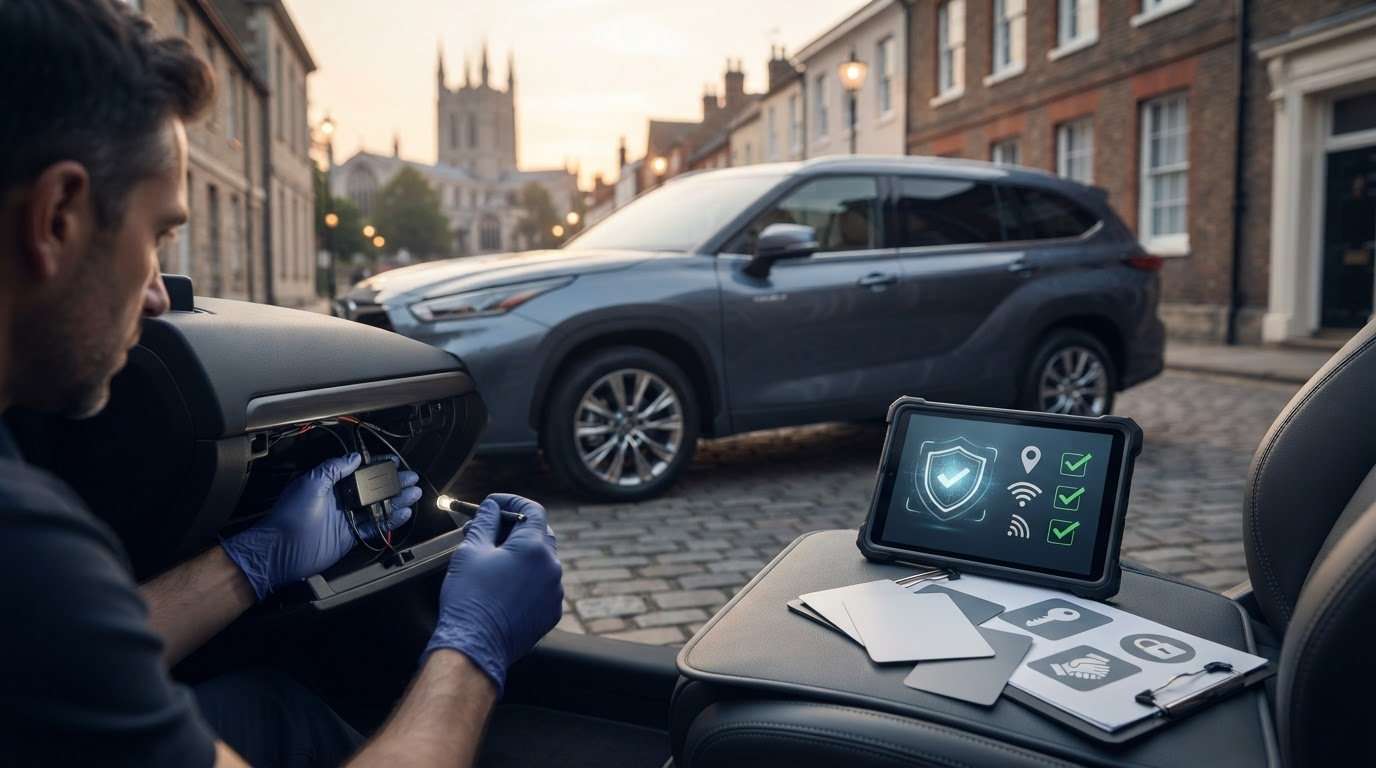
TrackManager S7: What UK Drivers Should Check Before Choosing a Tracker
What UK Drivers Should Check Before Choosing a Tracker
Could a tracker marked S7 still not meet your insurer’s requirements? Yes, if your policy specifies a different category or condition. The name TrackManager S7 appears in UK listings for a branded tracker, but check the exact product and what is included before choosing one.
Thatcham S7 is a recognised UK tracker category, but insurers set requirements for individual vehicles and policies. Don’t assume S7 will be accepted in every case. Check your policy documents or ask your insurer which category and fitting conditions apply.
This guide explains what to verify about the TrackManager S7 name, how S7 compares with S5, and what to ask about installation and any ongoing service. Safe & Sound Mobile supplies and professionally installs insurance-approved S5 and S7 trackers through a UK-wide mobile fitting service. Confirm the precise product and your insurer’s requirements before ordering or booking a fit.
Key Takeaways
- Check what TrackManager S7 refers to. Verify the manufacturer, exact product and included services before comparing options.
- Start with your insurance documents, then ask your insurer which tracker category or specification applies to your vehicle.
- Compare confirmed details such as category, service arrangements and fitting. Treat missing specifications as questions, not features.
- Before arranging a fit, have your vehicle details, location and access information ready, and mention relevant modifications.
- Safe & Sound Mobile supplies and professionally installs insurance-approved Thatcham S5 and S7 trackers. Its offering of TrackManager S7 specifically is unconfirmed.
What Is TrackManager S7? Identify the Tracker Before You Buy
TrackManager S7 is a name used in UK listings for a branded vehicle tracker described as a Thatcham Category S7 device. That description identifies a category, but it doesn’t establish who makes a particular unit or what comes with it. Check the current seller listing and manufacturer information before assuming a specific app, monitoring service or fitting package is included.
A product name and an S7 classification are different things. S7 describes a tracker category, while TrackManager S7 is a name associated with a product in that category. Check Thatcham Research for current category terminology and the status of a specific device. Even a confirmed category does not guarantee that the device meets your individual policy conditions.
Does TrackManager S7 name a device, service or app?
UK listings use TrackManager S7 to refer to a tracker product, but sellers may list it differently. Check the manufacturer’s material and the exact listing to establish what is being supplied. Look for separate information about the hardware, any app or tracking service, and what the fitting includes. If the details are unclear, ask the seller to confirm them in writing.
A listing may use one name for the hardware while describing connected services separately. Don’t assume an app, subscription or monitoring arrangement is included just because the listing says “TrackManager S7”.
What does S7 mean in vehicle tracking?
Thatcham Category S7 is a UK tracker classification. It is commonly described as an entry-level, insurance-approved category, but the classification alone doesn’t define a product’s features or service terms. Check Thatcham Research for category information, then ask your insurer which category it accepts for your vehicle and policy. Read the policy wording and get a direct answer before buying.
For general background, a vehicle tracking system can use technologies such as GPS and cellular networks to determine and communicate a vehicle’s location. That overview describes the technology broadly, not the specifications of TrackManager S7. Don’t infer a particular tracker’s functions from its category or from a general description of tracking systems.
Safe & Sound Mobile supplies and professionally installs insurance-approved Thatcham S5 and S7 trackers through a UK-wide mobile fitting service. The available product information doesn’t confirm TrackManager S7 specifically. Confirm the exact product and your insurer’s requirement before choosing a tracker or arranging fitting.
How to Check Whether an S7 Tracker Meets Your Insurance Requirement
An S7 category alone doesn’t confirm that a tracker will meet your insurance condition. First check your policy, then ask your insurer whether the specific tracker you’re considering is acceptable for your vehicle.
Confirm acceptance directly with your insurer before purchasing a tracker or booking a fitting. Use this checklist to get a clear answer:
- Read the exact wording in your policy documents. Check your schedule, endorsement or other policy information for a tracker condition. Note the wording exactly, including any category or specification.
- Ask your insurer what applies to your vehicle. Confirm the required category and whether any vehicle-specific conditions apply. A listing that calls a tracker insurance-approved isn’t enough to establish that it suits your policy.
- Check acceptance of the proposed tracker. Give the insurer the precise product name and category. If you’re considering TrackManager S7, ask whether that exact tracker meets the condition attached to your policy.
- Confirm fitting and documentation requirements. Ask whether the insurer specifies how the tracker must be installed and what proof of fitting it needs.
- Keep a record of the answer. Note when you contacted the insurer and what they confirmed. Check where the requirement appears in your policy documents, or request written confirmation if available.
Which details should you confirm with your insurer?
Ask which tracker category or specification your vehicle requires, whether the requirement depends on your make or model, and whether installation must meet particular conditions. If the policy wording is unclear, ask the insurer to explain it rather than interpreting “Thatcham-approved tracker” yourself. Record the response and check it against your policy documents before proceeding.
What evidence should you request from the installer?
Before booking, ask the installer to confirm the exact product name and category they’ll fit. Find out what installation documentation they’ll provide, without assuming a particular certificate or form is included. Share the insurer’s stated requirements and confirm that the installer can address them for your vehicle. Keep the product and fitting details with your policy records.
Safe & Sound Mobile supplies and professionally installs insurance-approved Thatcham S5 and S7 trackers, but its available information doesn’t confirm TrackManager S7 specifically. After checking your insurer’s requirements, you can discuss tracker categories and mobile fitting with Safe & Sound Mobile.
Compare TrackManager S7 Options by Product, Service and Fitting
A tracker offer can combine three separate things: the device, a connected service and installation. Compare each separately. The name TrackManager S7 appears in UK listings for a branded Thatcham S7 tracker, but it doesn’t confirm the exact model, service terms or fitting included in a particular offer.
| What to compare | TrackManager S7 listing | What to verify |
|---|---|---|
| Product identity | Branded tracker product | Who makes the unit, and what exact product name or model will be supplied? |
| Category | Listed as Thatcham Category S7 | Does the unit’s current classification match the insurer’s requirement? |
| Service | Not established by the product name alone | Is monitoring, app access or another ongoing service included, optional or separate? |
| Fitting | Depends on the seller’s offer | Who installs it, where can they fit it, and what documentation will they provide? |
Which tracker details are useful to compare?
Start with details the supplier can verify. Ask for the manufacturer, exact model and category, then compare the documented features with the insurer’s requirements and the supplier’s product information. If a listing mentions an app, monitoring or alerts, check whether those apply to the tracker you’ll receive and whether they’re included. Don’t treat a feature as part of the package unless the supplier confirms it.
For broader context on S5 and S7 categories, see this guide to insurance-approved vehicle trackers. Category information can help you compare options, but it doesn’t replace checking the exact product or your policy terms.
How do fitting and ongoing services differ?
Fitting describes how the tracker is installed. It isn’t a tracker feature or proof that your insurer accepts the device. Ask who will carry out the installation and whether mobile fitting is available at your location. Separately, ask whether the offer includes monitoring, app access or another ongoing service, and clarify any conditions or costs before committing.
Safe & Sound Mobile supplies and professionally installs insurance-approved Thatcham S5 and S7 trackers through a UK-wide mobile fitting service. Its available information doesn’t confirm TrackManager S7 specifically. Check the exact product, service and fitting arrangements before booking.
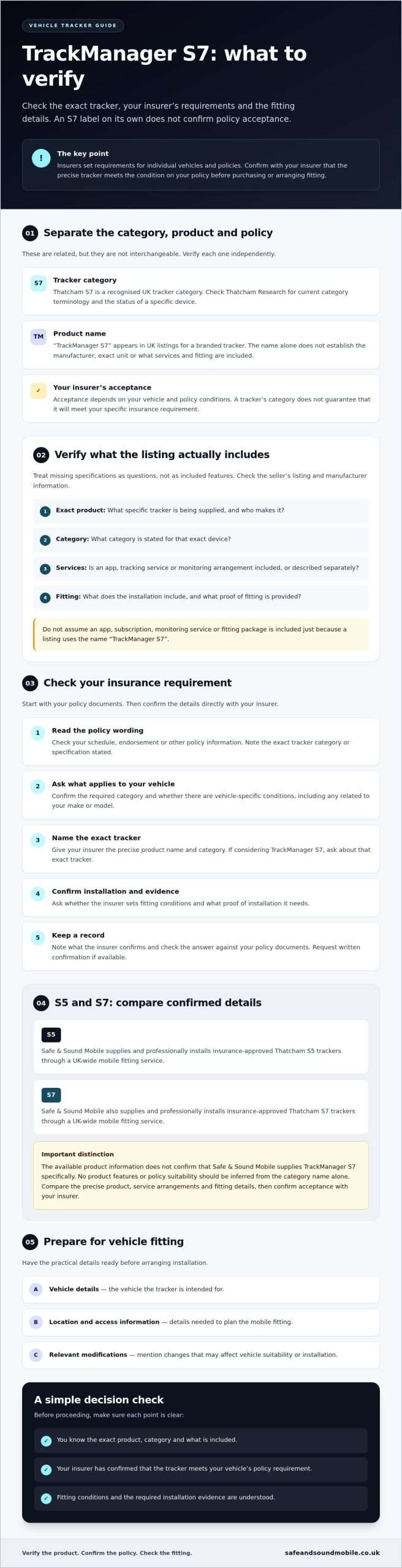
Before Booking TrackManager S7, Check Fitting and Vehicle Suitability
Arrange fitting only after identifying the product and checking it against your insurer’s requirements. The installer will also need enough information to assess whether the tracker and fitting arrangement suit your vehicle and location. Prepare these details before booking:
- Vehicle details: Share the make, model and year so the provider can check suitability.
- Modifications: Mention relevant security or electrical modifications. Don’t assume they won’t affect the installation.
- Product identity: Give the exact tracker name and category. If the listing says TrackManager S7, ask the provider to confirm the precise product being supplied.
- Insurance requirement: Pass on the exact wording or specification confirmed by your insurer.
- Location and access: Provide the fitting address and explain any access arrangements the installer should know about.
- Appointment details: Confirm available fitting arrangements and what you need to have ready on the day.
Fitting availability and requirements depend on the provider and your circumstances, so confirm them directly rather than relying on a product listing. Safe & Sound Mobile provides a UK-wide mobile fitting service for its tracker offering. You can explore its UK-wide mobile tracker fitting information, then ask whether the specific product you have verified is available and suitable. TrackManager S7 itself isn’t confirmed as part of the company’s offering.
What should you tell the installer before arranging fitting?
Give the installer your vehicle’s make, model and year, along with details of relevant modifications. Share the insurer’s exact tracker requirement and the product name you’re considering. This lets the installer respond to the actual specification rather than a general category. Confirm your address, access arrangements, and appointment details, and ask whether you need to provide any other information to assess suitability before you book.
What should you check after the tracker is fitted?
Before the installer leaves, ask them to explain the systemthey’ven fitted and any user information they’ve provided. Check what installation documentation you’ll receive and how to contact the provider if you need help. Don’t assume a particular certificate, app or ongoing support service is included. Follow the supplier’s instructions and keep the product details and fitting paperwork with your insurance records.
For tracker options and professional mobile fitting, contact Safe & Sound Mobile to discuss its confirmed S5 and S7 tracker offering. Check the exact product and your insurer’s requirement before proceeding.
Choose a Verified S7 Tracker and Arrange Professional Fitting
Work through the decision in order: identify the exact tracker, confirm your insurer’s requirement, then check the product and fitting arrangement. This separates the tracker category from its service arrangements and the name used in a listing. Don’t book on the assumption that every S7 tracker meets every policy condition.
Use this final check before proceeding:
- Product: Confirm the manufacturer and exact model. If you’re considering TrackManager S7, ask the supplier to verify precisely what product that name refers to.
- Policy: Give your insurer the verified product details and relevant policy wording. Ask whether that specific tracker meets your vehicle’s requirements.
- Fitting: Confirm who will install the tracker, whether fitting is available for your vehicle and location, and what documentation you’ll receive.
- Ongoing service: Ask the supplier to clarify whether monitoring, app access or another service is included, optional or separate.
When is Safe & Sound Mobile a relevant option?
Safe & Sound Mobile is an option for drivers seeking insurance-approved tracker supply and professional fitting. Its confirmed offering includes Thatcham S5 and S7 trackers, with UK-wide mobile installation. The available information doesn’t confirm that the company supplies TrackManager S7 specifically. Confirm the exact model with the supplier, and get your insurer’s acceptance of that product for your policy before proceeding.
What are the next steps for a confident decision?
Keep your questions specific. Share the tracker’s verified product name and category, along with the exact insurance wording. Ask the supplier to confirm the model, fitting arrangements and any ongoing service details. If you can’t confirm a detail, resolve it before you purchase or book. This gives you a clear basis for comparing options without relying on assumptions about the name or category.
For insurance-approved S5 or S7 tracker options and UK-wide mobile fitting, discuss tracker options and mobile fitting. Confirm the product and your insurer’s requirements before proceeding.
Make Your Tracker Choice with Confidence
Choose a tracker by checking the exact product, confirming your insurer’s requirement and verifying the fitting arrangements. The name TrackManager S7 may appear on UK listings, but don’t assume the product, included services or insurer acceptance from the name alone. Confirm those details with the supplier and your insurer before committing.
Safe & Sound Mobile supplies and professionally installs insurance-approved S5 and S7 trackers through a UK-wide mobile fitting service. TrackManager S7 isn’t confirmed as part of its offering, so ask about the exact model, vehicle suitability, and appointment options.
Have your policy wording and verified product details ready for a practical discussion about tracker categories and fitting. Discuss insurance-approved tracker options and UK-wide mobile fitting, and proceed once the details are clear.
Frequently Asked Questions
What is TrackManager S7?
TrackManager S7 is a name used in UK listings, but check the supplier’s current product information to confirm exactly what it refers to. A product or service name is not the same as an S7 category, which describes a tracker classification. Ask the seller to confirm the exact product, manufacturer and category, then check those details against your insurer’s requirements.
Is TrackManager S7 a Thatcham-approved tracker?
Don’t assume Thatcham approval from the name alone. Check authoritative information for the exact product and its current classification, including with Thatcham Research where relevant. Give your insurer the verified product details and ask whether it meets your policy requirements. A general S7 reference doesn’t guarantee acceptance or mean the tracker will satisfy every policy. Confirm the product classification and your insurer’s decision before buying.
Will an S7 tracker meet my car insurance requirement?
That depends on your policy wording and vehicle. Before buying an S7 tracker or arranging installation, ask your insurer which category or specification applies to your car. Confirm any fitting conditions and what evidence you may need to provide. Don’t rely on an S7 label or a seller’s general description as proof that you meet your policy condition. Keep a record of the insurer’s response.
Does TrackManager S7 include vehicle monitoring or an app?
The available information doesn’t confirm whether TrackManager S7 includes monitoring, an app, or another ongoing service. Check the current product listing and ask the seller to confirm in writing what is included, what is optional and whether any service is separate from the tracker hardware. Don’t assume an app or monitoring comes with the device, or infer service terms from the product name.
Can a mobile installer fit an S7 tracker at my home or workplace?
Safe & Sound Mobile provides mobile tracker installation across the UK, but confirm appointment availability and vehicle suitability directly with the company. Share your location, vehicle make and model, and your insurer’s exact tracker requirement. If you’re considering a particular product, confirm its identity with the supplier first. Mobile fitting availability doesn’t confirm that a specific TrackManager S7 product is offered or suitable for every vehicle. If you also need convenient at-home or roadside maintenance for your vehicle, check out Mobile Tyre Fitting Essex for on-site tyre replacement services.
How do I check whether TrackManager S7 is the right tracker for my vehicle?
Verify the exact product and category with the seller, then check your policy wording and ask your insurer to confirm acceptance. Once you have an answer, compare fitting arrangements and any app, monitoring or ongoing service details with the supplier. Treat unconfirmed specifications as questions, not features. This helps you assess whether TrackManager S7 fits your needs without relying on its name or a general S7 claim.
Do I need to confirm tracker installation with my insurer?
Check your policy and contact your insurer before arranging installation. Ask whether your vehicle requires a specific tracker category or product, whether there are fitting conditions, and what evidence you may need to provide. Requirements can vary by policy, so there isn’t one answer for every driver. Keep the insurer’s reply and any installation documents with your policy records for reference.


About author
Related posts

A dash cam’s recording time depends on its memory card and video quality. For a single-camera setup, a 32GB card stores around 2 to 4... Continue reading

Does a gps tracking dash cam let you find your car if it’s stolen? Not by itself. GPS can add location and journey context to... Continue reading
Could choosing the wrong tracker category leave your insurer’s requirement unmet? The right thatcham approved tracker installation uk starts with the... Continue reading

Car Immobiliser Fitting Shenfield: Options and Preparation Immobiliser fitting in Shenfield should start with the vehicle and the purpose of the installation. An additional immobiliser... Continue reading

Real-Time GPS Tracking Chelmsford: Cars, Vans and Fleets Real-time GPS tracking can help vehicle owners and businesses in Chelmsford view location information through a supported... Continue reading