
No products in the cart.

Thinkware Dash Cam for BMW: Essential Fitting Guide
Choosing a Thinkware dash cam for BMW use starts with your parking habits, the coverage you need and an installation suited to your car. A front camera with correctly powered parking mode is a useful starting point for many UK owners. Drivers who regularly park on the street or carry a rear-end collision risk can step up to a two-camera setup later.
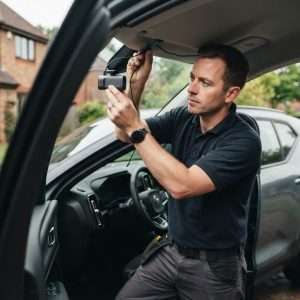
BMW cabins are designed to look tidy, so a camera that hangs off the screen or trails a cable down the A-pillar spoils the effect. A well-planned install tucks the unit behind the rear-view mirror, hides the wiring in the headlining and pillar trim, and draws power from a suitable fused circuit.
Thinkware builds a range of dash cams covering single-channel front recording through to 4K front-and-rear systems with radar-based parking surveillance. The choice comes down to how the car is used, where it sleeps at night, and how much footage the owner wants available after an incident.
Battery health matters too. Modern BMWs monitor electrical draw closely, so parking mode needs a power source and voltage cut-off that suit the car, not a generic setup.
What Should a Thinkware Dash Cam for BMW Include?
 AI-generated illustration of a UK right-hand-drive cabin; camera shown is illustrative.
A useful BMW setup covers the road ahead in high definition, handles glare and darkness, and stays fixed in place without being touched every journey. The number of channels, the sensor quality and the type of camera all shape how much use the footage will be later.
Front-Only, Front-and-Rear and Multi-Camera Coverage
A front-only camera records the view most claims depend on: the road ahead, junctions, and the moments before an impact. It is the simplest install and the least intrusive in a BMW cabin.
Front-and-rear systems add a second camera on the rear screen. That helps with tailgating, rear-end shunts and car park scrapes behind the vehicle.
Multi-camera setups extend cover to the cabin or sides. These suit taxis, driving instructors and van operators more than private BMW drivers.
Clear Day and Night Footage for Useful Evidence
Footage only helps if number plates and faces are readable. Resolution is part of that, and so is how the camera handles bright headlights and dark side roads.
Thinkware fits HDR and night-vision processing across parts of its range to balance exposure between bright and dark areas of the frame. The F790, for example, records Full HD 1080p with Super Night Vision 3.0 and a 140-degree diagonal front view.
Why a Dedicated Dash Cam Is Better Suited Than an Action Cam
A dedicated dash cam is built to sit in a hot windscreen all day and start recording the moment the ignition turns. It loops footage, stamps time and location data, and locks event files automatically.
An action cam records video, then stops when the memory fills or the battery dies. It has no parking mode, no automatic file locking and no permanent power feed.
How Recording and Parking Features Protect a Parked BMW
 AI-generated illustration of a British parking setting.
The features that protect a stationary car are loop recording, impact detection and a parking mode powered by a suitable supply. Together they mean the camera is still watching when the driver is not there.
How Loop Recording Preserves the Latest Footage
Loop recording writes video in short clips and overwrites the oldest files once the memory card is full. The card never fills up and stops the camera.
Event clips are stored in a protected folder so they survive the loop. Card size decides how far back the normal footage reaches before it is replaced.
What a G-Sensor Does After an Impact
The g-sensor detects sudden movement and locks the surrounding footage. The Thinkware F790 uses a 3-axis accelerometer rated at ±3G.
While parked, an impact triggers a short protected recording. Thinkware’s motion and impact detection captures a 20-second clip covering 10 seconds before and after the event on models that support it.
When Parking Mode Is Worth Hardwiring
Parking mode needs power after the ignition is off, which means a hardwire kit or a separate battery pack. A hardwire kit connects to the fuse box with a voltage cut-off that stops drawing power before the car battery falls too low.
Owners who park on driveways behind gates might skip it. Street parking, shared car parks and busy retail sites are where it earns its keep.
Energy-Saving Monitoring for Longer Periods Away
Thinkware’s Energy Saving mode puts the camera on standby and wakes it only when an impact is detected. Thinkware states this extends total parking surveillance duration by up to three times.
Time-lapse parking mode is the alternative, recording continuously at a low frame rate. It uses more power but leaves a complete visual record of the time parked.
Choosing Features for Your Driving and Parking Habits
The right specification follows the way the car is actually used: motorway miles, city parking, or long spells left unattended. Image processing, connectivity and parking surveillance are the three areas where models differ most.
When HDR and Night Recording Matter Most
HDR helps when the camera faces strong contrast, such as driving out of a multi-storey car park into daylight or approaching oncoming headlights at night. It balances the bright and dark parts of the same frame.
Night performance depends on the sensor and the processing behind it. Thinkware’s Super Night Vision brightens low-light scenes so plates stay readable under street lighting.
GPS, Wi-Fi and Accessing Footage After an Incident
Built-in GPS records speed and location alongside the video, which supports a claim or a police report. It also enables safety camera alerts on models with that database.
Wi-Fi lets the driver connect a phone to the camera through the Thinkware Dash Cam Link app, view live footage and download clips without removing the memory card. The F790 has built-in Wi-Fi on both 2.4GHz and 5GHz bands.
Comparing a Practical Front Camera With Higher-Spec Parking Surveillance
The table below compares the documented specifications of two Thinkware models rather than any hands-on testing.
| Feature | Thinkware F790 (front) | Thinkware U3000 (front and rear) |
|---|---|---|
| Front resolution | Full HD 1080p | 4K |
| Channels | Front only | Front and rear |
| Parking detection | Motion, impact, time lapse, Energy Saving 2.0 | Radar, motion, impact, time lapse |
| Built-in GPS | Yes | Yes |
| Power supply | Hardwiring cable included | Hardwire kit required |
| Best suited to | Everyday driving, driveway or garage parking | Frequent street parking, higher-value cars |
The U3000 Pro sits above both for owners wanting Thinkware’s most advanced parking surveillance.
Where the Thinkware F790 Front Dash Cam Fits
The Thinkware F790 Front Dash Cam suits BMW drivers who want a discreet single-channel camera with parking protection built in. It records Full HD 1080p through a CMOS 2.1M sensor with Super Night Vision 3.0 and a 140-degree diagonal view.
Its integrated mount and power supply make the camera quick to remove. Advanced Parking mode with Energy Saving 2.0 and time-lapse keeps it watching while the car is parked, and nationwide fitting is included.
Fitting a Dash Cam Safely in a BMW
Fitting is where most BMW dash cam problems start, because the car’s electrical system and the windscreen area both have rules of their own. Getting the power source, the voltage cut-off and the camera position right avoids warning messages and a cluttered screen.
Hardwiring, Battery Protection and Modern BMW Electrical Systems
BMWs use intelligent battery sensors that track charge and discharge. An extra load taken from the wrong circuit can confuse that monitoring or flatten the battery over a long weekend.
A hardwire kit with a low-voltage cut-off shuts the camera down before the battery drops too far. A separate dash cam battery pack is the alternative, since it charges while driving and runs parking mode independently of the car’s own supply. Choosing an ignition-switched fuse that turns off properly with the car is part of a correct install.
Camera Position, Driver Visibility and a Clear Windscreen
The camera should sit high on the windscreen, behind or beside the rear-view mirror, where it stays out of the driver’s line of sight and inside the wiper-swept area. Government guidance on vehicle maintenance, safety and security confirms that windscreens and windows must be kept clean and free from obstructions to vision.
Angle the lens so the bonnet fills roughly a quarter to an eighth of the frame. That gives a balanced view of the road ahead without wasting pixels on sky.
Why Vehicle-Specific Installation Checks Matter
Fuse box locations and suitable circuits vary between BMW chassis, and rain or light sensors behind the mirror limit where the mount can sit. Trim removal on newer models needs care to avoid clips and airbag wiring.
Safe and Sound Mobile offers professional mobile installation nationwide across the UK, so the car can be fitted at home or at work. Anyone unsure about compatibility with a particular BMW should check the specifics with an installer before ordering.
Using Dash Cam Footage Responsibly in the UK
Dash cams are legal for private use in the UK, and footage from them is regularly accepted by insurers and police. Responsibilities change once a vehicle is used for business or footage is shared publicly.
Saving and Sharing Footage Following a Road Incident
After a collision, the g-sensor should already have locked the clip, but it is worth confirming and copying the file off the memory card straight away. Loop recording will eventually overwrite anything left unprotected.
Send the original file to the insurer or police, keeping a backup copy. Editing or trimming footage weakens its value as evidence.
Private Motoring, Business Vehicles and Data Protection Considerations
Private drivers recording their own journeys have light data protection duties as long as the footage stays personal and is not published. Posting clips online moves things into different territory.
Business use is a separate case. The Information Commissioner’s Office expects organisations to justify the use of in-vehicle cameras, tell people they are being recorded, keep footage secure, delete it once it is no longer needed and register with the ICO. Audio should be switched off by default and used only where there is strong justification. Fleet operators with doubts should follow current ICO guidance or take qualified advice.
Features That Support Evidence Without Replacing Safe Driving
GPS logs, time stamps and locked event files strengthen a claim by showing speed and location at the moment of impact. Safety camera alerts on GPS-equipped models remind the driver of limits ahead.
These features record what happened. They do not change stopping distances or how the car is driven.
Choosing Your Thinkware Dash Cam for BMW Use
The right Thinkware dash cam for BMW use depends on where the car is parked and what the owner wants covered. A single front camera with hardwired parking mode handles daily driving and driveway parking, while a front-and-rear system with radar-based surveillance suits cars left on the street or in public car parks.
Thinkware’s range spans both ends, with Full HD front-only models like the F790 through to 4K dual-channel units. Parking mode is the feature that decides the power setup, so the hardwire kit, cut-off voltage and fuse choice need to match the car.
BMW electrical systems reward a careful install. Choosing the right circuit, hiding the cable run and positioning the camera inside the wiper-swept area gives a clean result that works from the first ignition turn.
Frequently Asked Questions
Is a Thinkware dash cam for BMW a good choice?
Thinkware is a well-established dash cam brand with a range covering Full HD front-only cameras through to 4K front-and-rear systems with radar parking surveillance. Models with built-in GPS, Wi-Fi and Energy Saving parking mode suit BMW owners who want discreet fitting and parking protection.
Is a front-only or front-and-rear dash cam better for a BMW?
Front-only is enough for most private BMW drivers, since the road ahead covers the majority of claims. Front-and-rear is the better choice for anyone who parks on the street, sits in heavy traffic, or wants cover against rear-end shunts and car park damage.
Can a Thinkware dash cam use parking mode without draining a BMW battery?
Yes, provided the camera is hardwired through a kit with a low-voltage cut-off or powered by a separate dash cam battery pack. Thinkware’s Energy Saving mode puts the camera on standby between impact events and extends parking surveillance duration by up to three times.
Does BMW offer its own dash cam system?
BMW offers the Advanced Car Eye range as a factory-fitted and accessory option. Aftermarket Thinkware models are chosen by owners who want specific features such as 4K recording, radar parking detection or a particular parking mode.
Will a Thinkware dash cam fit a BMW 2 Series or 3 Series?
Thinkware dash cams are fitted to a wide range of BMW models including the 2 Series and 3 Series. Fuse box layout, sensor housings behind the mirror and trim design vary by chassis, so an installer should confirm the details for the specific car and year.
Where should a dash cam be fitted on a BMW windscreen?
Mount it high on the windscreen, behind or beside the rear-view mirror, inside the area swept by the wipers. It must not obstruct the driver’s view, and the lens should be angled so the bonnet takes up around a quarter to an eighth of the frame.
Related fitting advice


About author
Related posts

A dash camera may record when the car is off if it has parking mode and a suitable power supply. Whether dash cameras record when... Continue reading
Professional car dash camera fitting gives you a securely mounted camera, concealed wiring and a tested power connection. With mobile fitting, the... Continue reading
Does a gps tracking dash cam let you find your car if it’s stolen? Not by itself. GPS can add location and journey context to... Continue reading
A dash camera can capture a collision clearly and still not tell the whole story. Understanding car dash camera causes of road traffic accidents... Continue reading

A GPS car tracker can locate your vehicle, but satellites alone can’t show its position on your phone. The key is the connection between GPS... Continue reading