
No products in the cart.

Ford SYNC 3 Apple CarPlay Setup: Compatibility and Fixes
Compatibility and Fixes
SYNC 3 supports Apple CarPlay on Ford vehicles with compatible hardware and software, connecting through a wired USB cable rather than wirelessly. Wireless Apple CarPlay is a SYNC 4 capability, so drivers expecting it on a SYNC 3 screen are often working with the wrong assumption rather than a fault. Getting the connection right starts with confirming what your specific vehicle can actually do.
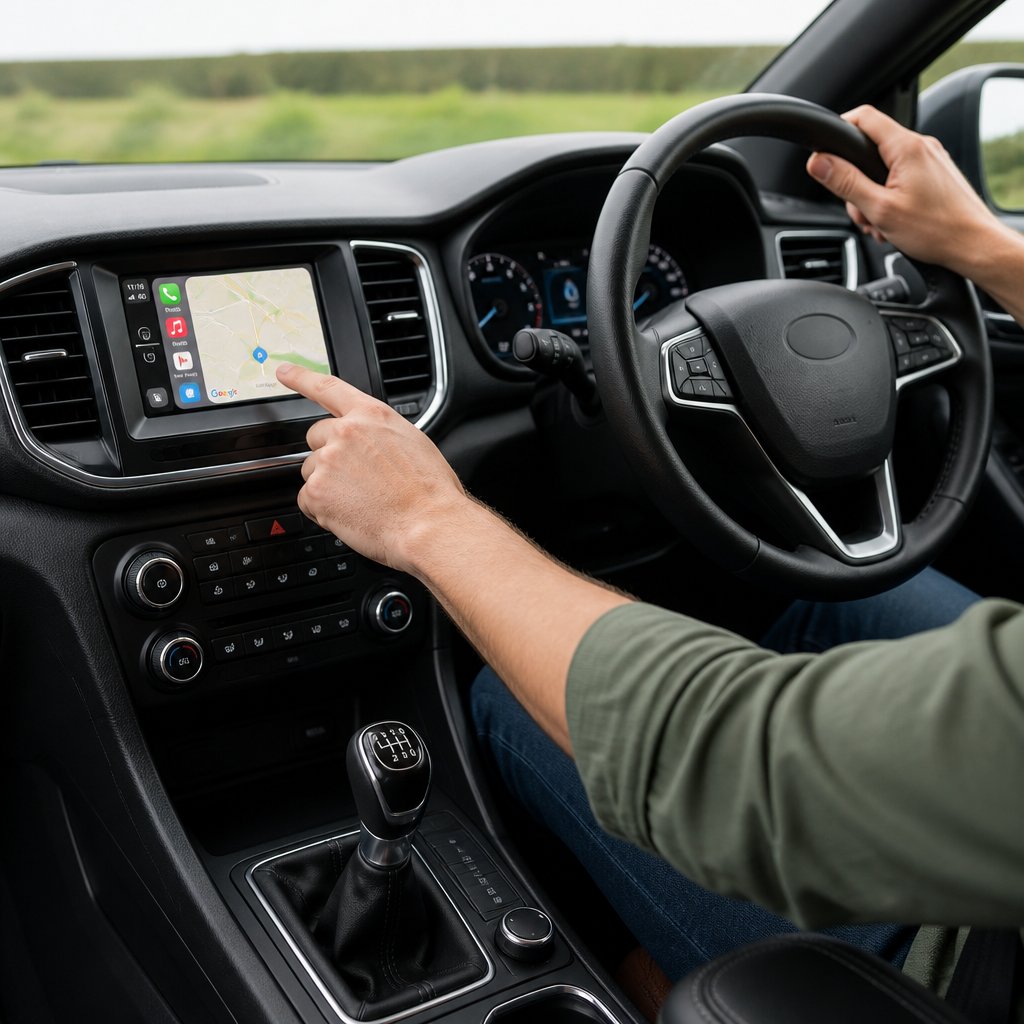
Ford introduced SYNC 3 with CarPlay support from the 2016 and 2017 model years, though exact availability depends on trim level, region and software version fitted at build.
A correctly specified SYNC 3 unit paired with a genuine data-capable cable will connect an iPhone to Apple CarPlay in under a minute, provided the software is up to date.
Drivers who understand this distinction avoid unnecessary troubleshooting, and van or fleet operators who rely on the vehicle for daily navigation and calls benefit from knowing exactly what to check before a fault develops on the road.
If your setup needs a closer look, Safe and Sound Mobile carries out UK-wide mobile assessments and can talk through CarPlay installation or upgrade options for your vehicle.
Does Your Ford and SYNC 3 System Support CarPlay?
Most Ford vehicles fitted with SYNC 3 from 2016 onwards support wired Apple CarPlay, though confirming this for your exact vehicle takes a few practical checks. Software version, model year and regional spec all affect whether CarPlay appears on the touchscreen, and SYNC 4 vehicles behave differently again because some support wireless CarPlay natively.
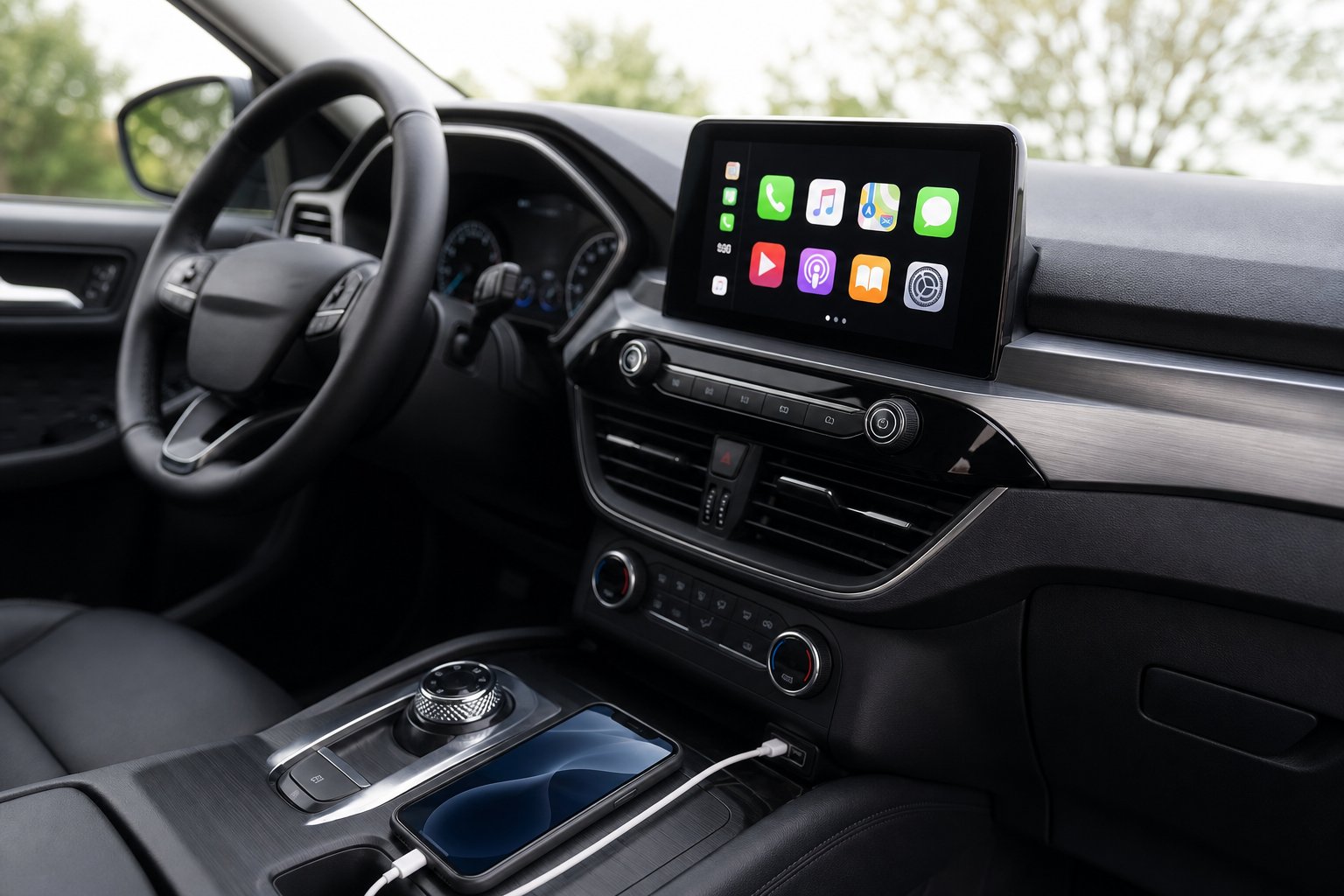
How to Identify SYNC 3 and Check Its Software Version
Look at the touchscreen’s home screen layout and menu icons; SYNC 3 uses a tile-based interface distinct from the smaller-screen SYNC 2 systems it replaced. Go to Settings > General > About SYNC to view the current software version fitted to your Ford.
Comparing this against the version listed on the Ford support website confirms whether an update is available. Older software builds sometimes predate CarPlay activation even on otherwise compatible hardware.
Ford Model and Model-Year Compatibility Considerations
CarPlay compatibility varies by model line and year rather than applying uniformly across the Ford range. A Ford F-150 from a given model year may have a different SYNC 3 specification than a Focus or Transit from the same year, since trim level and optional infotainment packages affect what the factory fitted.
Commercial vehicles and higher-spec trims are more likely to include CarPlay-ready SYNC 3 as standard. Entry-level trims from earlier SYNC 3 production years sometimes shipped without it enabled.
Why Vehicle Specification and VIN Checks Matter
Your vehicle’s VIN (vehicle identification number) links to build data that confirms the exact infotainment specification fitted at manufacture. This matters because visual inspection alone can’t always distinguish between SYNC 3 versions with and without CarPlay support.
A VIN check, ideally cross-referenced through the Ford support website or an authorised dealer, removes the guesswork before you invest time or money in a fix. It’s a more reliable starting point than assuming compatibility based on model year alone.
SYNC 3, SYNC 4 and Native Wireless CarPlay Compared
SYNC 3 relies on a wired USB connection for CarPlay in every configuration; this generation has no native wireless CarPlay option. SYNC 4 introduced wireless CarPlay support on selected vehicles, changing the setup experience considerably.
Feature | SYNC 3 | SYNC 4 |
|---|---|---|
Wired CarPlay | Yes | Yes |
Native wireless CarPlay | No | Yes (selected models) |
Android Auto | Yes | Yes |
Software update source | Ford support website / USB | Ford support website / over-the-air |
Drivers wanting wireless convenience without changing vehicles sometimes look at a wireless CarPlay adapter, covered later in this guide.
How to Connect an iPhone to SYNC 3
Connecting an iPhone to SYNC 3 requires a data-capable USB cable, the correct USB port and a few permission settings enabled on the phone itself. Most connection issues trace back to one of these three elements, not a fault with the vehicle.
What You Need Before Starting
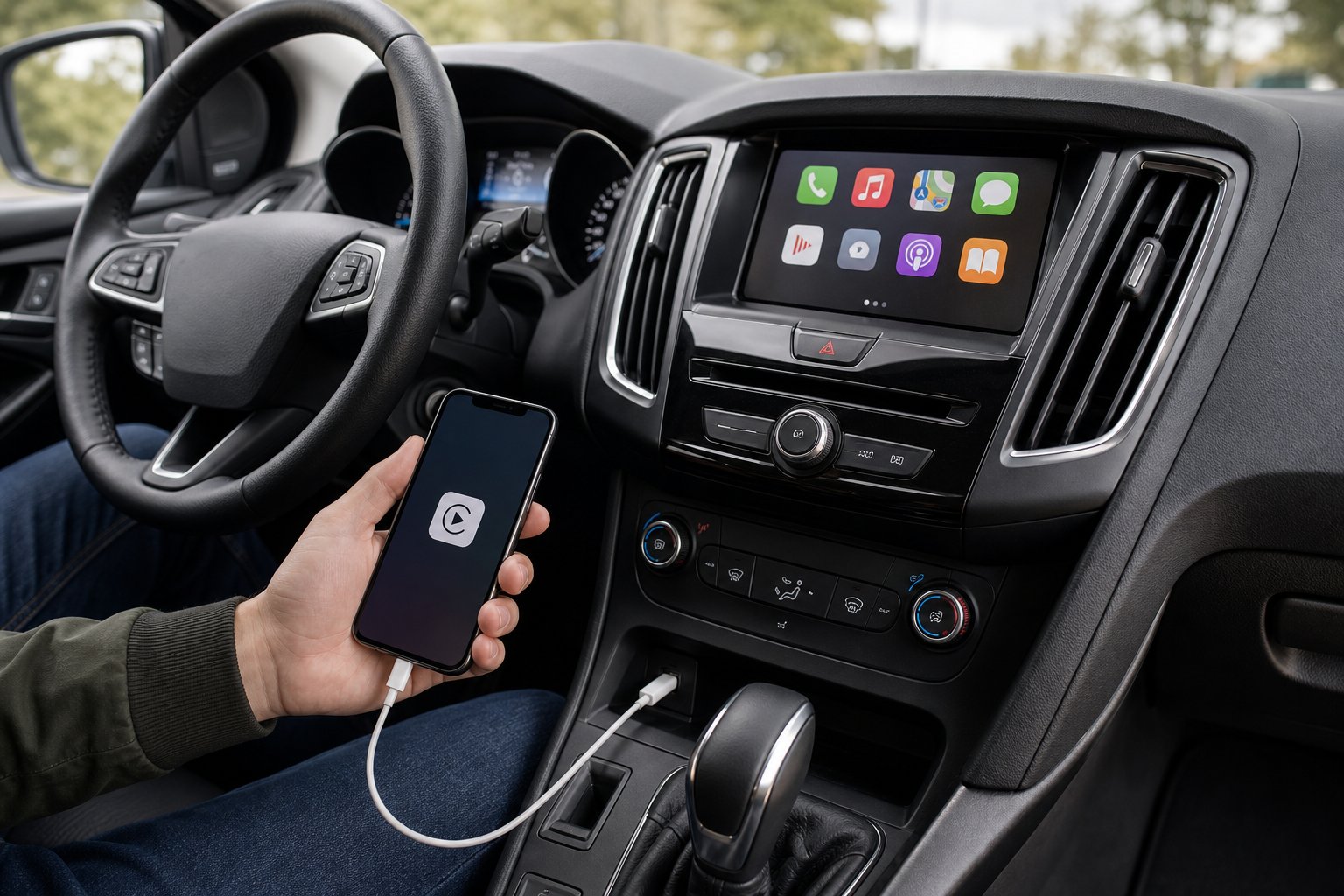
You’ll need an iPhone running a current iOS version, a genuine or certified data-capable USB cable, and a SYNC 3 system confirmed to support CarPlay. This applies to iPhone generations from iPhone 5 through iPhone 13 and later, including iPhone SE models, as long as the cable and port support data transfer, not charging only.
Enable CarPlay and Siri Permissions
On the iPhone, go to Settings > General > CarPlay and select your Ford from the list of available vehicles if it appears. Check Settings > Siri & Search to confirm Siri is switched on, since CarPlay relies on Siri for voice commands and hands-free control.
Apple CarPlay preferences on the SYNC 3 side, under Settings > Apple CarPlay Preferences, should show your device once connected.
Connect Through the Correct USB Port
Plug the iPhone into the designated USB port, usually marked or positioned nearest the touchscreen, using the original Apple cable or an equivalent certified data cable. Some Ford vehicles have multiple USB ports, but only one may be data-capable for CarPlay; the others are charge-only.
Accept the Prompts and Use CarPlay Safely
Once connected, a prompt appears on the SYNC 3 screen asking to launch CarPlay; accept it, and the interface should load within a few seconds.
From here, Apple Maps, the Phone app and supported music apps run directly through the vehicle display; Google Maps also works within CarPlay if installed on the phone.
Keep interactions brief while driving and rely on Siri voice commands where possible.
Why Is Apple CarPlay Not Showing Up?
Apple CarPlay usually fails to appear because of a faulty cable, an incorrect USB port, or a locked iPhone screen, rather than a deeper system fault. Working through these possibilities in order, from simplest to most involved, resolves most cases without needing a workshop visit.
Check the Cable, USB Connection and iPhone Unlock Status.
A charge-only cable is the most common cause of CarPlay not appearing on SYNC 3. Try the original Apple cable and confirm the iPhone is unlocked, since some SYNC 3 builds won’t initiate the CarPlay prompt on a locked screen.
Confirm Siri, CarPlay Permissions and Saved Phone Settings
Check that Siri is enabled and that the iPhone hasn’t been removed from the vehicle’s list of trusted CarPlay devices.
Sometimes a previous Bluetooth pairing without a full CarPlay connection leaves the phone recognised for calls but not for CarPlay, which can be confusing since Bluetooth alone never activates CarPlay.
Update SYNC 3 Software Before Resetting the System
An outdated SYNC 3 software version often causes CarPlay not to launch correctly. Check the Ford support website for the latest update, which you can download via USB or, on some models, through automatic system updates over Wi-Fi.
Installing this before attempting a reset often resolves the issue without further steps.
When a Master Reset or Hardware Assessment Is Appropriate
If software updates and cable checks don’t help, a master reset of SYNC 3 through the settings menu clears corrupted preferences that block CarPlay.
Persistent failure after a reset suggests a USB port or module fault, which typically requires professional diagnostics rather than further DIY attempts.
Can a Wireless CarPlay Adapter Work With SYNC 3?
A wireless CarPlay adapter can allow SYNC 3 to run CarPlay without a cable, though results depend on the adapter’s quality and the vehicle’s underlying USB hub.
These adapters plug into the existing USB port and relay a wireless signal from the phone, effectively bridging the gap SYNC 3 lacks natively.
Fitment and reliability vary by vehicle, so checking suitability before buying one avoids wasted expense.
When DIY Setup Is Enough and When to Seek Professional Help
Simple connection problems, like a faulty cable or an unenabled Siri setting, are worth fixing yourself before booking a visit. Deeper issues involving the USB hub, data port wiring or older Ford vehicles without factory CarPlay support usually call for a professional assessment.
Simple Setup Issues You Can Resolve Yourself
Cable swaps, software updates and permission checks in the iPhone’s CarPlay settings solve most everyday problems.
These take a few minutes and need no tools beyond a genuine cable and access to the vehicle’s touchscreen menus.
Software, USB Hub and Retrofit Limits to Consider
A worn USB hub or a SYNC 3 module built without CarPlay enablement can’t be fixed through software alone. In these cases, the vehicle’s specification (checked against its VIN) determines whether an upgrade path exists, and some Ford vehicles weren’t built with CarPlay-capable hardware.
Choosing a Suitable CarPlay Upgrade for Older Ford Vehicles
Owners of older Ford vehicles without native CarPlay may look at a car stereo with Apple CarPlay as a retrofit option, or a dedicated Apple CarPlay installation service that assesses what’s achievable on their specific model. Not every Ford vehicle can be upgraded, so a suitability check before purchase avoids disappointment.
What to Ask Before Booking Mobile Installation
Ask whether the installer has checked your VIN and confirmed hardware compatibility, what warranty applies to the fitted equipment, and whether Android Auto is supported alongside CarPlay if you need both. Safe and Sound Mobile offers nationwide mobile installation and can talk through these points before committing to any CarPlay integration work.
A Reliable CarPlay Connection Starts With the Right Ford Specification
A dependable Apple CarPlay experience on SYNC 3 depends on confirming your Ford’s exact specification before troubleshooting or upgrading anything. Checking the software version, cable quality, and USB port function resolves most everyday issues. When checking specifications, avoid wasting effort on vehicles never built with CarPlay-capable hardware.
For straightforward connection problems, working through cable, permissions and software updates in order gets most drivers back on the road quickly. When the limitation is the hardware itself, a professional assessment through a service such as Apple CarPlay installation service clarifies what a retrofit can realistically achieve on your specific vehicle.
Frequently Asked Questions
Can I connect my Ford SYNC 3 to Apple CarPlay?
Yes, as long as your SYNC 3 system was built with CarPlay support and you use a genuine data-capable USB cable. Confirm this through your vehicle’s software version in the settings menu, a nd cross-check it against your VIN if you’re unsure.
Does Ford SYNC 3 support wireless Apple CarPlay?
No, SYNC 3 requires a wired USB connection for Apple CarPlay in every configuration. Native wireless CarPlay became available with SYNC 4 on selected models; SYNC 3 owners wanting a wireless experience need a separate wireless CarPlay adapter.
Why is my Ford not picking up Apple CarPlay?
The most common causes are a charge-only cable, an incorrect USB port, or a locked iPhone screen when you connect. Outdated SYNC 3 software and disabled Siri permissions also prevent CarPlay from launching correctly.
Can I use Apple CarPlay on a 2018 Ford with SYNC 3?
Most 2018 Ford vehicles fitted with SYNC 3 support wired Apple CarPlay, though exact availability depends on trim and software version. Check the software version under Settings > General > About SYNC to confirm whether an update is needed.
How do I upgrade my Ford SYNC system to support Apple CarPlay?
Vehicles without native CarPlay support may be upgradable through a retrofit head unit or compatible SYNC 3 module, depending on the underlying hardware and VIN-confirmed specification.
A professional installer can assess whether your specific Ford is a suitable candidate before recommending an upgrade path.


About author
Related posts
Will a Powerbass loaded enclosure fit your car and work with the stereo and amplifier you already have? A box can look right but take... Continue reading

Chasing massive peak wattage figures is the easiest way to end up with muddy, distorted sound. Clean, impactful bass actually depends on enclosure... Continue reading

Why settle for a flat, lifeless commute when your vehicle could feel like the front row of a concert? Most UK drivers tolerate tinny factory... Continue reading

Integrating Next-Gen Connectivity Into Your Vehicle Many older vehicles lack modern smartphone features like Apple CarPlay and Android Auto. This creates a frustrating gap between your phone’s... Continue reading

Your car dashboard is no longer just a mounting point for a smartphone; it is finally becoming the smartphone itself. Most drivers feel that standard... Continue reading