
No products in the cart.

Do Dashcams Record Sound? 5 Essential Audio Checks
Do dashcams record sound?
Yes, most models capture audio through a small built-in microphone, and nearly all of them let the driver switch that audio off in the settings menu. So a camera fitted to a UK windscreen usually captures voices in the cabin alongside the road ahead, unless someone has turned the microphone off or muted it with a shortcut button.
That single setting changes what the footage is worth. Sound can show a horn being sounded, screeching tyres or an abusive exchange after a shunt, all things a forward-facing lens cannot prove on its own. It also records every private conversation that happens in the car.
Drivers who know where the audio toggle lives, how to test playback and what UK data protection rules expect can set the microphone once and stop worrying about it. Fleet operators, taxi drivers and private hire drivers have an extra layer to consider, because the Information Commissioner’s Office treats in-vehicle audio as intrusive and expects it to be off by default in business vehicles.
Do Dashcams Record Sound Inside and Outside the Car?

A dash cam records sound using an internal microphone that sits in the camera body, and the audio is written into the same video file as the picture. Voices inside the cabin come through most clearly, while road noise, horns and tyre squeal appear as background.
What Does a Built-In Microphone Pick Up?
The dash cam microphone points into the cabin, so it hears whatever is said in the front seats most clearly. Conversations, music, phone calls on speaker and the sound of doors and belts all end up in the recording.
External sounds still get through. Louder events such as screeching tyres, a blaring horn or a crash impact register even with the windows up, and everything gets louder once a window is open.
Do All Dash Cams Have Audio Recording?
Almost every current model includes a microphone, so audio capability is close to standard. What varies is the default state: some cameras arrive with audio recording switched on, others ship muted and need the setting enabling before any sound appears in playback.
Higher-end cameras add noise reduction technology that trims wind and engine noise so cabin voices stay clearer. Audio files are small next to video, so enabling sound has little effect on how much footage a memory card holds.
How Clear Is Cabin Audio in Real Driving Conditions?
Microphone quality decides how usable the recording is. At town speeds, cabin audio on a decent camera is clear enough to follow a conversation or hear an exchange through an open window.
At motorway speeds, wind and tyre noise start to swamp speech on budget units. Rear or interior channels on multi-camera setups sometimes carry no microphone at all, which is worth checking before relying on sound from a back-seat view.
How to Check and Control Your Microphone Settings

The audio toggle lives in the recording section of the dash cam settings menu, or in the companion phone app on Wi-Fi models. A microphone icon on the screen, and a spoken confirmation on some cameras, tells the driver which state it is in.
How Do I Know Whether My Dash Cam Is Recording Sound?
Look for a microphone icon on the camera display. A plain icon usually means audio is on; a crossed-out or struck-through icon means the mic is muted.
Some models announce the change out loud when the voice recording button is pressed, saying whether recording is enabled or disabled. On cameras with no screen, the app shows the current audio state instead.
Where Can I Turn Audio Recording On or Off?
Three routes cover nearly every camera:
- Settings menu: open the recording or video settings and switch the audio or voice recording option on or off.
- Mute button: many cameras have a dedicated shortcut on the body that toggles the microphone in one press, handy for drivers carrying passengers.
- Companion app: Wi-Fi models expose the same dash cam audio settings in the app, which is easier on units with small screens.
Firmware updates sometimes reset settings, so it is worth re-checking the toggle after an update.
How Should I Test Recorded Audio and Footage?
Record a short drive, then play the clip back with sound. Check the file on a phone or computer rather than on the camera’s own tiny speaker, which can make usable audio sound worse than it is.
Speak at a normal volume during the test so the result reflects real use. If dash cam footage plays with no sound at all, the likely causes are a muted microphone, a corrupted memory card or a playback app that has its own volume muted. If playback problems persist, follow the camera manufacturer’s troubleshooting advice. Back up any important clips before formatting a compatible memory card, because formatting erases recordings.
UK Privacy, Consent and Data Protection Considerations
UK privacy and data protection requirements depend on how a camera is used, what it records and how recordings are handled. Do not assume that every recording from a privately owned car is exempt. Business, fleet and taxi operators should follow current ICO guidance and any applicable licensing conditions.
What Should Private Drivers Consider Before Recording Passengers?
An interior microphone can capture conversations that passengers expect to remain private. The personal or household exemption has limits, so the rules should not be reduced to whether the vehicle belongs to an individual or a business.
Tell passengers if audio is enabled and consider whether recording is necessary. Switching the microphone off for private conversations reduces the information collected. Informing passengers does not, by itself, settle every privacy or legal question.
What Changes for Fleets, Taxis and Other Business Vehicles?
Business use brings legal duties. An operator needs a lawful basis for recording, must tell drivers and passengers what is happening and why, must keep footage secure, must delete it once it is no longer needed and should check whether an ICO data protection fee is payable, including any relevant exemption.
ICO guidance on in-vehicle cameras is direct about sound: if a camera has audio capability, switch it off by default and use it only in exceptional circumstances with strong justification, such as a threat to personal safety. Cameras in vehicles used for private journeys should be off outside working hours.
Passenger consent alone does not discharge these duties. Signage, a privacy notice, retention limits and written policies all sit alongside it, and taxi and private hire licensing conditions often set their own signage and audio rules locally.
Why US One-Party and Two-Party Consent Rules Do Not Set UK Requirements
Much of the advice online about dash cam audio recording laws comes from the United States, where individual states apply one-party or two-party consent rules to private conversations. Those consent laws govern recordings made in one-party and two-party consent states, and they have no effect on a vehicle in the UK.
UK drivers should work from UK GDPR, the Data Protection Act 2018 and ICO guidance instead. Anyone facing a dispute over a specific recording should take advice from a qualified adviser.
When Recorded Sound Can Help and When to Leave It Off
Audio earns its place when a dispute turns on what was said or heard, and creates unnecessary exposure the rest of the time. The right setting follows from how the vehicle is used and who travels in it.
Can Audio Support Insurance Claims and Incident Evidence?
Sound adds context that video misses. A recording can capture a horn, the sound of screeching tyres before impact, an admission at the roadside or abuse during a road rage incident, all of which support the driver’s account in insurance claims.
Insurers and police assess video footage on authenticity and relevance, so the original file should be kept unedited with its time and date stamp intact. Audio recordings are part of that same file, which helps a reviewer understand an incident as well as see it.
When Does Audio Create More Risk Than Value?
Everyday driving with family or colleagues aboard produces hours of private conversation with no evidential use. Those recordings still count as personal data once shared, which brings privacy concerns and possible legal implications for no benefit.
Muting the microphone for ordinary journeys and enabling it when a situation calls for it keeps the risk low. Cameras with a one-press mute button make that practical.
Which Drivers May Need a More Deliberate Audio Policy?
Professional drivers carrying the public, including taxi and rideshare drivers, benefit most from a written approach. Passenger interactions are where in-cabin sound has genuine security value, and also where privacy duties bite hardest.
Fleet managers should decide in advance who can enable audio, on which vehicles, in what circumstances and for how long recordings are kept, and record that decision. Drivers using company vehicles for personal trips need the cameras off outside working hours.
Choose Audio Settings That Match How You Use Your Vehicle
Dash cam audio is a setting, not a fixed feature. Default settings vary by model. The audio toggle is usually in the recording menu or app, and a playback test confirms whether sound is being captured.
Private motorists who carry passengers should either tell them the camera records sound or leave audio recording off. Business, fleet and taxi operators should start from audio off, with any exception justified and documented, alongside signage and a privacy notice.
Safe and Sound Mobile supplies dash camera options with nationwide UK mobile installation, and can advise on which models offer a shortcut mute and clearer cabin audio. Book professional dash cam fitting or ask about recording when the car is switched off before choosing a camera.
5 Essential Checks Before Using Dash Cam Audio
| Check | What to do |
|---|---|
| 1. Microphone setting | Check the camera menu or app rather than assuming its default. |
| 2. Saved playback | Play a short test clip with your phone or computer volume on. |
| 3. Passenger privacy | Explain audio recording and mute private conversations. |
| 4. Business use | Start with audio off and follow ICO guidance and applicable licensing rules. |
| 5. Firmware updates | Recheck settings and playback after an update or reset. |
Frequently Asked Questions
Do dashcams record sound while driving?
Most dashcams record sound while driving using a built-in microphone, capturing cabin voices and louder outside noises such as horns. A few models ship with audio recording muted, so the setting needs checking rather than assuming.
How do I know if my dash cam is recording audio?
Check the microphone icon on the camera screen: a crossed-out icon means the mic is muted. On app-controlled models the audio state shows in the recording settings, and the surest check is playing back a test clip with the volume up.
Can I turn off audio recording on a dash cam?
Yes. The audio toggle sits in the recording or video section of the settings menu, and many cameras also have a dedicated mute button on the body that switches the microphone in one press.
Can I buy a dash cam that does not record audio?
Disabling audio in the settings achieves the same result on any model with a microphone. Some cameras used in commercial vehicles are supplied with audio disabled by default, which suits operators following ICO guidance on business in-vehicle cameras.
Is dash cam audio recording legal in the UK?
There is no blanket answer for every situation. Requirements depend on the purpose, people recorded and use of the footage. Tell passengers about audio recording, minimise unnecessary capture and check current ICO guidance. Business, fleet and taxi operators need a justified approach, appropriate notices and secure handling; local licensing rules may add requirements.
Do dashcams record sound when the car is parked?
Only if the camera stays powered and is set to keep recording while parked, since parking mode needs a power source that survives the engine being switched off. Whether sound is saved in parking mode depends on the camera and recording mode. Check the model’s manual and test a saved clip.


About author
Related posts

A dash camera may record when the car is off if it has parking mode and a suitable power supply. Whether dash cameras record when... Continue reading
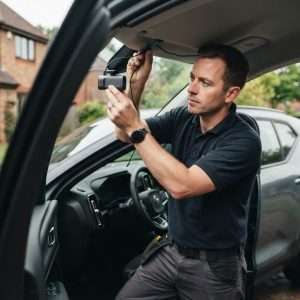
Professional car dash camera fitting gives you a securely mounted camera, concealed wiring and a tested power connection. With mobile fitting, the... Continue reading
Does a gps tracking dash cam let you find your car if it’s stolen? Not by itself. GPS can add location and journey context to... Continue reading
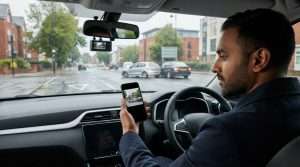
A dash camera can capture a collision clearly and still not tell the whole story. Understanding car dash camera causes of road traffic accidents... Continue reading

A GPS car tracker can locate your vehicle, but satellites alone can’t show its position on your phone. The key is the connection between GPS... Continue reading