
No products in the cart.
Bluetooth Dash Cam Connectivity and Buying Guide
A Bluetooth dash cam typically uses Bluetooth for pairing or accessories, while Wi-Fi handles video downloads. Check the exact model: Bluetooth support alone does not mean you can stream footage to your phone. Understanding the distinct roles of Bluetooth, Wi-Fi, and cloud connections ensures you choose hardware that fits how you capture and export footage.
This guide explains how wireless connectivity works in modern dash cams, how parking surveillance is actually powered, and what specifications to evaluate before purchasing a system for your vehicle.
What Does a Bluetooth Dash Cam Connection Do?
In dash cams, Bluetooth handles low-bandwidth, short-range communication rather than video streaming. On models featuring smartphone integration, Bluetooth can establish an initial handshake with a mobile app before handing data transfer over to a local Wi-Fi connection.
On other units, Bluetooth connects only to dedicated hardware accessories, such as a wireless remote button fitted in an approved position to manually lock video files. A Bluetooth link to an accessory does not establish phone pairing, so it is essential to check the exact function listed in the manufacturer’s technical specifications.
Bluetooth vs. Wi-Fi vs. Cloud Connectivity
Each connection type serves a distinct purpose. Understanding the differences prevents buying a device that does not support your intended workflow.
Connection Type | Main Function | Typical Range | Requires Internet? |
|---|---|---|---|
Bluetooth | Handshake pairing, settings sync, or accessory remotes | A few metres | No |
Local Wi-Fi (2.4GHz / 5GHz) | Direct file transfer, live view, and setting adjustments | Within or near vehicle | No |
Cloud Connectivity | Remote monitoring, push alerts, and off-site backup | Anywhere with mobile reception | Yes |
Local Wi-Fi connections do not require an active internet connection. The dash cam broadcasts its own local network for direct data transfer to your phone.
Cloud functionality requires compatible camera hardware, continuous power, an active internet connection at the camera (such as an internal SIM or mobile hotspot), internet access on your viewing device, and often an ongoing subscription plan.
Can Bluetooth Move Video Files to a Phone?
Bluetooth is generally not the connection dash cams use for large video downloads. While Bluetooth can facilitate the initial pairing sequence, the companion app relies on a Wi-Fi connection to download clips or display a live feed.
Wi-Fi can operate independently of Bluetooth, and many dash cams function with local Wi-Fi alone. If a device advertises Bluetooth, verify whether it communicates with a mobile app or is restricted to pairing an external remote button.
What “Wireless” Means on a Dash Cam
The term “wireless” on dash cam packaging describes how the camera shares data and settings, not how it receives power. Most wireless units still require a permanent physical cable connection to the vehicle for continuous operation.
Our battery-powered dash cameras guide explains external power options and what battery claims mean. Our wireless dash camera guide details how data transfer methods differ across various designs.
Coverage, Resolution, and Sensor Performance
Choosing camera hardware requires balancing coverage angles against visual clarity under changing road conditions.
Front-Only vs. Dual-Channel Coverage
A single front-facing camera captures the road ahead, providing essential visual evidence for forward collisions and junction incidents. However, it cannot record events occurring directly behind the car.
A dual-channel system adds a rear-facing unit to monitor following traffic. For commercial vehicles or passenger cars needing comprehensive protection, our vehicle cameras front and rear guide outlines compatible configurations.
Resolution and Real-World Plate Legibility
Higher resolutions like 2.5K and 4K provide finer pixel density than standard 1080p, allowing for clearer magnification of distant objects. However, resolution alone does not guarantee legible number plates.
Lens optics, sensor size, video bitrate, exposure balance, and vehicle speed play equally significant roles. In low-light environments, Wide Dynamic Range (WDR) and High Dynamic Range (HDR) help preserve contrast by preventing bright headlights from blowing out number plates.
Managing, Saving, and Exporting Footage

Dash cams manage digital storage automatically, but secure file retention depends on user settings and prompt action.
Loop Recording and Event Retention
Loop recording divides video into continuous segments, overwriting the oldest unprotected files once the memory card reaches capacity. Built-in G-sensors detect harsh impacts or abrupt braking, automatically moving the current segment into an event folder.
Protected event folders are not guaranteed to be permanent. On many systems, new event files can eventually overwrite older locked clips if the card fills up. Always export critical files to an external device promptly following an incident.
Downloading and Logging Features
Footage can be extracted by removing the microSD card for computer playback or by transferring clips directly over local Wi-Fi to a smartphone app. A compatible card reader can be convenient for copying many large files; transfer speed depends on the card, reader and connection.
For step-by-step extraction instructions, refer to our guide on how to download footage from dash cam, or review our dash cam with Wi-Fi app control selection.
Integrated GPS logs speed and location metrics directly alongside recorded footage, providing objective environmental context. Audio recording can typically be disabled within device settings to address passenger privacy preferences.
Power Requirements and Parking Monitoring
Operating a dash cam when the ignition is switched off requires a dedicated, correctly configured power supply.
Supercapacitors vs. Sustained Parking Power

There is a common misconception that supercapacitors power parking recording. A supercapacitor only holds enough charge for a brief, safe shutdown when external power is lost, preventing file corruption.
Supercapacitors do not support extended parking surveillance. Sustained parking mode requires a compatible dash cam paired with an approved, continuous power supply, such as an installation kit connected to the vehicle fuse box or a dedicated external dash cam battery pack.
Manufacturer guidance, such as Thinkware’s power guidance, confirms that parking surveillance depends on model-specific hardware and continuous power requirements.
Parking Mode Duration and Battery Protection
Parking surveillance cannot guarantee indefinite or fixed 24-hour runtimes without power interruption. Total recording duration depends on your chosen mode (such as time-lapse, motion detection, or impact sensing), ambient temperature, the power supply capacity, and vehicle battery health.
Suitable hardwire kits should include configured low-voltage protection cut-offs to stop drawing power before the vehicle battery is depleted. Review our guides on dash cam with parking mode and dash cams with parking mode for operational specifics.
Installation Methods
Basic setups power the camera from an auxiliary 12V socket; depending on the vehicle, these sockets may be ignition-switched or permanently live rather than always switching off with the ignition. Hardwiring connects directly to fused circuits behind vehicle trim panels, enabling parking surveillance while hiding visible cabling.
To avoid vehicle electrical faults or incorrect circuit tapping, explore our professional installation of dash cam services.
Bluetooth Dash Cam: Six Buying Checks
- Connectivity: Confirm whether Bluetooth supports phone pairing or only external accessories, and check whether local Wi-Fi operates on 2.4GHz or faster 5GHz frequencies.
- Cloud Requirements: Check if remote monitoring requires a continuous power source, an external SIM card, and a paid cloud subscription.
- Power Setup: Choose an appropriate hardwire kit with low-voltage protection or an external battery pack if parking monitoring is needed.
- Storage Management: Select a high-endurance microSD card rated for continuous write cycles, and check how event files are overwritten.
- Camera Coverage: Evaluate whether a single forward lens or a multi-channel system from our dual lens recording systems selection suits your driving requirements.
- Model specifications: Review product specifications directly, including dedicated platforms like our blackvue dash camera range, to confirm supported features.
Conclusion
Bluetooth, local Wi-Fi, and cloud networks perform distinct tasks in a vehicle camera setup. Ensuring your dash cam provides the appropriate data connectivity, sustained power source, and optical performance will deliver dependable evidence when needed.
Safe and Sound Mobile provides nationwide mobile fitting across the UK, supplying compatible hardwire kits and professional dash cam installations. Contact our team to arrange an installation tailored to your vehicle.
Frequently Asked Questions
Can a Bluetooth dash cam connect directly to a phone?
Yes, provided the camera’s Bluetooth protocol is designed for mobile pairing. On supported units, Bluetooth initiates the handshake with the smartphone app before transferring data over local Wi-Fi. On other models, Bluetooth is strictly reserved for hardware accessories like remote trigger buttons.
Is a Wi-Fi dash cam better than a Bluetooth dash cam?
They serve different roles rather than competing directly. Local Wi-Fi handles high-bandwidth tasks like transferring video and streaming live views, and Wi-Fi can function fully without Bluetooth. Checking the manufacturer specification confirms which wireless standards the device includes.
Can a wireless dash cam function without power cables?
Most conventional dash cams still need a power lead; wireless generally describes data connectivity. Check the exact model to confirm whether it requires a physical cable connection to a 12V socket, fuse box, or external battery pack for electrical power.
Can a supercapacitor run parking mode?
No. A supercapacitor only stores enough energy to safely complete and save the current recording when primary power is disconnected. Operating parking mode requires a sustained power source, such as a voltage-protected hardwire kit or a dedicated dash cam battery pack.
Can I view dash cam footage remotely when away from my car?
Remote viewing requires a cloud-compatible camera, an active internet connection at the vehicle via mobile data, an internet connection on your phone, continuous electrical power, and any required manufacturer cloud subscription. Standard Bluetooth and local Wi-Fi do not support remote access outside vehicle range.
Will a Bluetooth dash cam work with any phone?
Check the companion app’s supported operating systems and the camera’s pairing method. Some Bluetooth dash cam features work only with dedicated accessories. Before buying, confirm that your phone can install the required app and use the camera’s local Wi-Fi connection for footage access.

About author
Related posts

A dash camera may record when the car is off if it has parking mode and a suitable power supply. Whether dash cameras record when... Continue reading
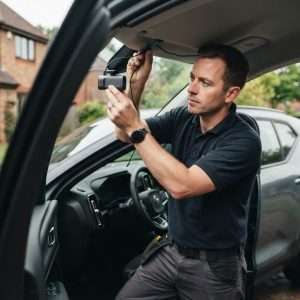
Professional car dash camera fitting gives you a securely mounted camera, concealed wiring and a tested power connection. With mobile fitting, the... Continue reading
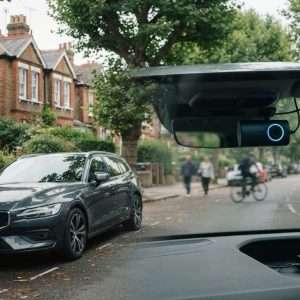
A dash cam can keep recording when your car is off, but only if it has a suitable power source and parking mode. A hardwired... Continue reading

Does a gps tracking dash cam let you find your car if it’s stolen? Not by itself. GPS can add location and journey context to... Continue reading
The right car tracking system isn’t necessarily the one with the longest feature list. It’s the one that suits your vehicle, your insurer’s... Continue reading