
No products in the cart.

Battery Powered Dash Cameras: A Complete Buying Guide
Battery powered dash cameras can be misleadingly described: most conventional dash cams require a continuous external power supply while recording. An internal battery or supercapacitor is typically designed only to save the active file and execute a safe shutdown when external power cuts out, not to power routine wire-free journeys.
A dedicated external dash cam battery pack is an entirely separate accessory that still connects to the camera with a cable. Always verify manufacturer specifications rather than assuming a camera can record unplugged.
Wireless Data vs Electrical Power

Marketing terms can create confusion between data transmission and power delivery. A dash cam described as “wireless” almost always refers to Wi-Fi connectivity or Bluetooth pairing, not a lack of power cables.
Wi-Fi allows direct communication between the camera and a smartphone app for viewing live footage, adjusting settings, or downloading files. If you are assessing app features, review our guide on choosing a dash cam with Wi-Fi and app control, alongside our guidance on downloading and backing up dash cam footage.
Bluetooth is typically used only for initial device discovery and local pairing on supported models. Neither protocol supplies electrical energy, so a power lead remains necessary for normal operation.
Battery Powered Dash Cameras: Power Options Compared
Dash cams rely on distinct methods to draw vehicle power, each with specific installation requirements and operating limitations.
Power Source | Requirements | Operational Limitations |
|---|---|---|
12V Vehicle Auxiliary Socket | Supplied 12V adaptor and standard cable routed to the socket. | Sockets may be ignition-switched or permanently live depending on the vehicle. Switched sockets shut down when ignition is off; live sockets risk battery drain without manual unplugging. |
Protected Hardwire Kit | Direct wiring to vehicle fuse box using switched and constant power taps, plus an earth point. | Requires technical installation and access to the vehicle fuse box. Low-voltage cut-off thresholds help preserve starter battery health but do not guarantee unlimited running time. |
Approved OBD-II Cable | Plugs directly into the vehicle OBD-II diagnostic port. | Confirm exact vehicle, camera, and accessory compatibility and follow manufacturer instructions. Power delivery and vehicle network behaviour vary across makes and models. |
Dedicated Dash Cam Battery Pack | External battery pack hardwired or socket-charged, connected to camera via output cable. | Adds hardware cost and requires secure installation following manufacturer mounting and ventilation instructions. The vehicle must be driven sufficiently to recharge the pack between parking cycles. |
Parking Recording Requirements

Parking surveillance is not automatic on every camera. It requires a compatible dash cam model, an appropriate continuous power setup, and correct menu configuration.
Dash cams typically use specific parking modes such as time-lapse, impact detection, motion detection, or buffered recording. To understand how these operating modes work, refer to our guide on what parking mode does on a dash cam.
A hardwire kit with an integrated low-voltage cut-off switch or timer reduces the risk of battery drain. However, low-voltage protection cannot guarantee a vehicle restart, which depends on battery health, ambient temperature, and voltage settings, nor does it guarantee 24 hours of recording.
Manufacturer Example: Thinkware Power Architecture
Thinkware dash cams illustrate how premium manufacturers handle power distribution. According to official documentation from Thinkware on powering your Thinkware dash cam, the camera requires a continuous external power feed to function.
The standard 12V cigarette lighter adaptor powers normal continuous recording whenever the supplying socket is energised. However, as outlined in Thinkware’s guidance on enabling parking mode, it does not enable supported Thinkware parking mode.
Enabling parking surveillance requires an optional 3-wire hardwiring cable, a compatible Thinkware OBD-II cable, or a dedicated external battery such as the Thinkware iVolt pack. Specific power accessory compatibility varies by model.
Six Checks When Comparing Battery Powered Dash Cameras
- Exact Model: Confirm whether the unit uses a lithium-ion cell or a heat-resistant supercapacitor for shutdown protection.
- Included vs Optional Power Kits: Check if a hardwire kit or OBD harness is supplied in the box or sold as an optional extra.
- Electrical and Thermal Limits: Verify operating temperature ranges and low-voltage cut-off settings compatible with your vehicle battery type.
- High-Endurance MicroSD Card: Use a card rated for continuous overwriting that meets the manufacturer’s speed and capacity limits.
- Safe Mounting Location: Position the camera to avoid blocking forward vision, interfering with driver-assistance sensors, or compromising airbag deployment zones.
- Total Installed Cost: Factor in accessories such as fuses, power modules, high-capacity memory cards, and professional installation.
Professional Dash Cam Support
Selecting the right power method depends on your vehicle electrical system, typical driving mileage, and monitoring requirements. Safe & Sound Mobile can help you choose compatible hardware and offers nationwide mobile installation at a suitable home or workplace location.
Explore our selection of car dash cameras or contact our technical team to discuss professional installation and power integration options.
Frequently Asked Questions
Does every dash cam require hardwiring?
No. Many dash cams operate using a 12V auxiliary socket adaptor or an OBD-II power lead. Hardwiring is primarily used for a cleaner installation without visible cables and to support parking surveillance.
Can a supercapacitor power a dash cam during parking mode?
No. A supercapacitor stores only enough energy to complete the current video write and safely shut down the unit when vehicle power is cut. It cannot operate parking surveillance without a continuous external power source.
Does a USB-C connection indicate long battery running time?
No. A USB-C port is an interface standard for delivering electrical power and transferring data. It indicates the physical connector type, not the presence of an internal battery or its operational duration.
How long does an internal dash cam battery last?
There is no standard running time because most dash cams are not designed to operate on internal batteries. Check the documented intended function for your unit and never assume it can support journey recording unplugged.
Does a “wireless” dash cam mean it has no cables?
No. In dash cam terminology, wireless almost always refers to Wi-Fi connectivity for smartphone app access or Bluetooth pairing. The camera still requires a physical cable connected to a power source to record.
Are battery powered dash cameras suitable for overnight recording?
A compatible external dash cam battery pack can support parking recording, but duration depends on its capacity, charge level, camera power consumption and recording mode. Check the manufacturer’s figures for the complete setup. Battery powered dash cameras still need a planned charging routine and correctly installed cabling.


About author
Related posts

A tracker can help locate a vehicle after it’s stolen, but it won’t prevent the theft itself. To choose between auto security systems, understand... Continue reading

A dash camera may record when the car is off if it has parking mode and a suitable power supply. Whether dash cameras record when... Continue reading
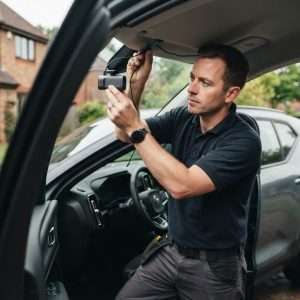
Professional car dash camera fitting gives you a securely mounted camera, concealed wiring and a tested power connection. With mobile fitting, the... Continue reading

Does a gps tracking dash cam let you find your car if it’s stolen? Not by itself. GPS can add location and journey context to... Continue reading

A dash camera can capture a collision clearly and still not tell the whole story. Understanding car dash camera causes of road traffic accidents... Continue reading